2
B) ON/OFF Timer Setting – Daily Timer Setting
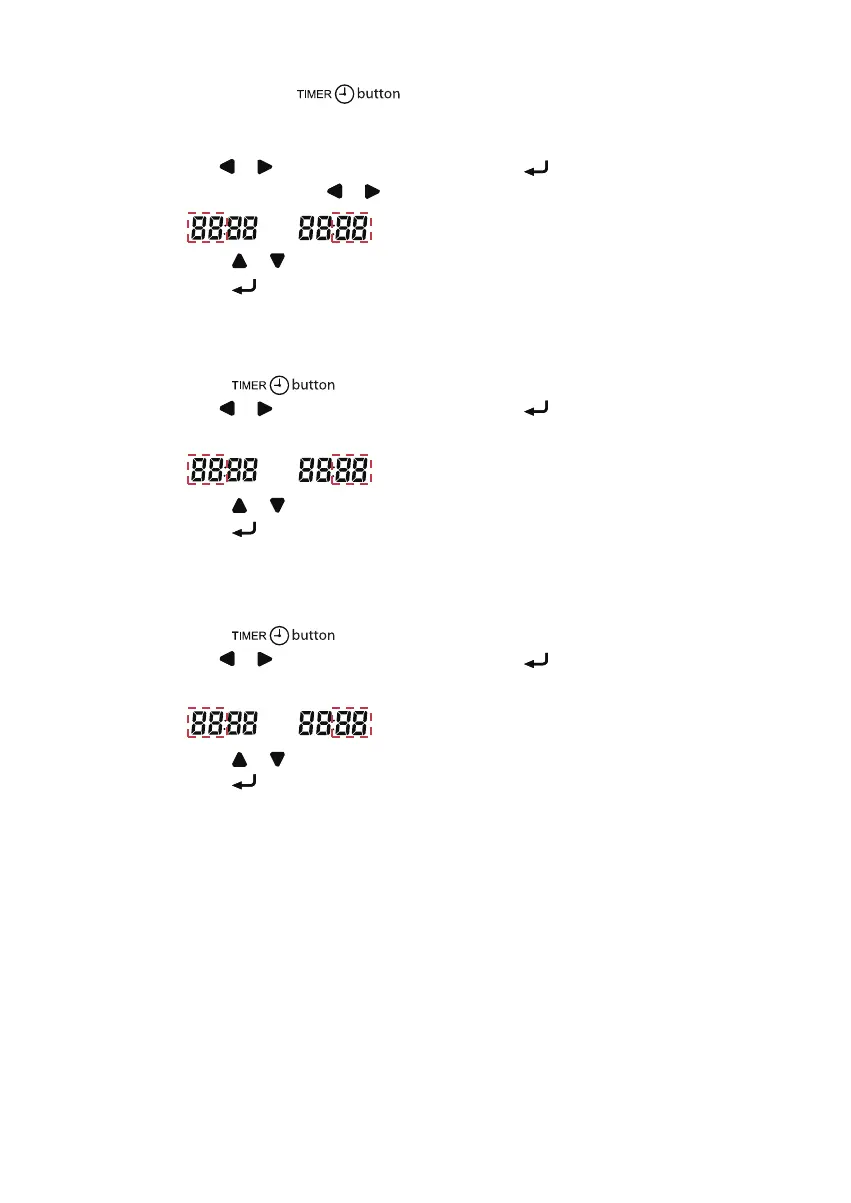
a. Continuously press
for 3 seconds.
b. ON Timer 1 Setting
I. “MON” will blink.
II. Use
or button to select the Day and press button to confirm the Day.
III. Hour will blink. Use
or button to toggle between Hour and Minute.
Press or button to change the Hour and Minute.
Press
button to confirm the setting.
IV. Repeat Step II to III for the timer setting of other days.
c. ON Timer 2 Setting
I. Press
again to enter ON Timer 2 setting, then “MON” will blink.
II. Use
or button to select the Day and press button to confirm the Day.
III. Hour will blink.
Press or button to change the Hour.
Press
button to confirm the Hour, then Minute will blink.
IV. Repeat Step II to III for the timer setting of other days.
d. OFF Timer 1 Setting
I. Press
again to enter OFF Timer 1 setting, then “MON” will blink.
II. Use
or button to select the Day and press button to confirm the Day.
III. Hour will blink.
Press or button to change the Hour.
Press
button to confirm the Hour, then Minute will blink.
IV. Repeat Step II to III for the timer setting of other days.
1-OM-BRC51D-0616(2)-DAIKIN-EN.in2 21-OM-BRC51D-0616(2)-DAIKIN-EN.in2 2 8/12/20 3:41:41 PM8/12/20 3:41:41 PM



 To Next Page