257
ED721208 Commissioning Manual
6
Commissioning Manual EM11A021
DCM601A51 intelligent Touch Manager
52
Scenario 2: Maintenance of existing property (When carrying out pre-engineering using the current setting)
When extensively modifying an existing property due to equipment renovation and the like, the
EWTTGPVUGVVKPIUHQTVJGGZKUVKPIRTQRGTV[OWUVDGOQFKƂGF
1. $CEMWRVJGU[UVGOƂNGFCVCCUYGNNCUUGVVKPIUFCVC/#%CFFTGUUGUGVEQPVJGK6/WPKVVQC
USB memory. (For details, see 4-9 Backup)
2. Copy data backed up in the USB memory (folder name: Backup_MAC address_year month day_
hour minute second) to a PC. Start up the Pre-engineering tool and display its main screen. (For
details, see page 46)
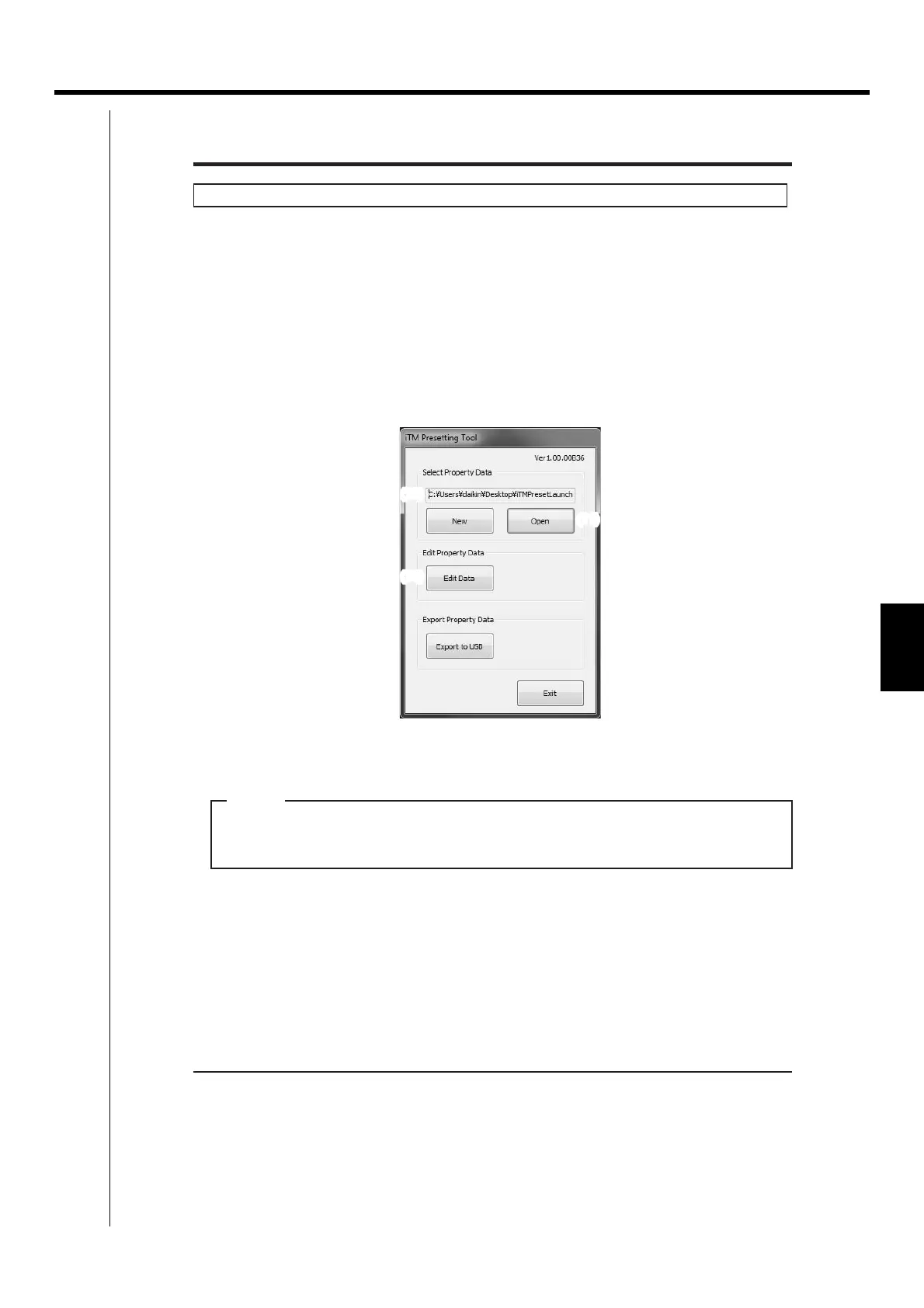
(12)
(11)
(13)
Main screen
3. Click the Open button (11) to display the Select Folder to Open dialog.
Select the folder of the property to edit and click the OK button.
If the property data is created using an older version, a dialog that prompts upgrade appears.
Click the OK button.
NOTE
The absolute path is displayed in (12) when a property data is selected.


 To Next Page
 Loading...



