27
SERVICING
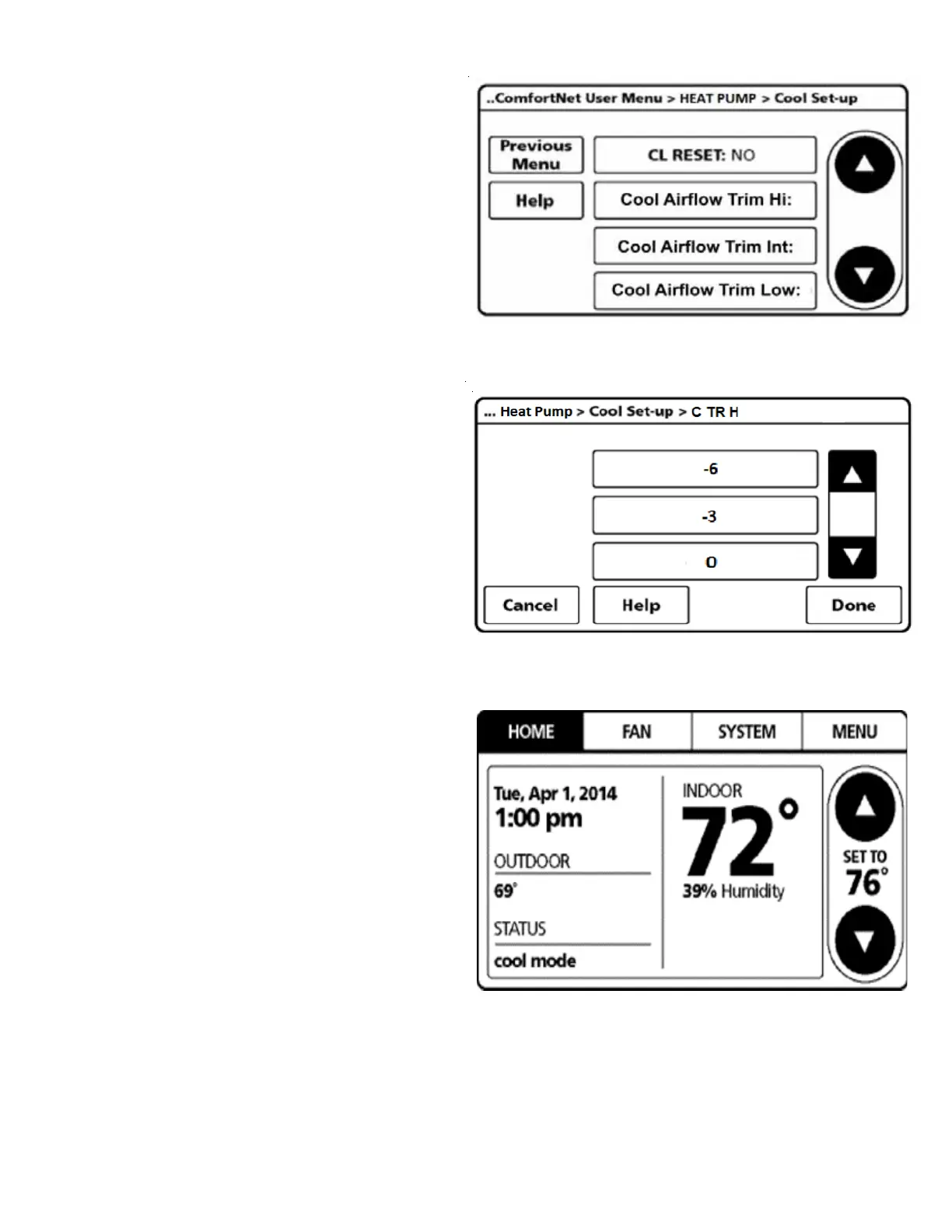
7. User can change the airflow trim at high, intermediate
and low compressor for cooling and heating mode.
Select:
Cool Airflow Trim Hi: high speed cooling
Cool Airflow Trim Int: intermediate speed cooling
Cool Airflow Trim Low: low speed cooling
Heat Airflow Trim Hi: high speed heating
Heat Airflow Trim Int: intermediate speed heating
Heat Airflow Trim Low: low speed heating
Under each criteria, a selection between +15% to -15% at
the increment of the 3 can be made.
8. Once COOL AIRFLOW TRIM is set, navigate to HOME screen.
Enter normal operation with temperature offset or
thermostat schedule, as desired.



 To Next Page