83
N
ETWORK TROUBLESHOOTING
Communications is achieved by taking the difference between a
positive dc signal and a negative dc signal. The positive dc signal
is termed “data 1” or “1’. Data 1 is positive with respect to ground
(or common). The negative dc signal is termed “data 2” or “2”.
Data 2 is negative with respect to ground (or common).
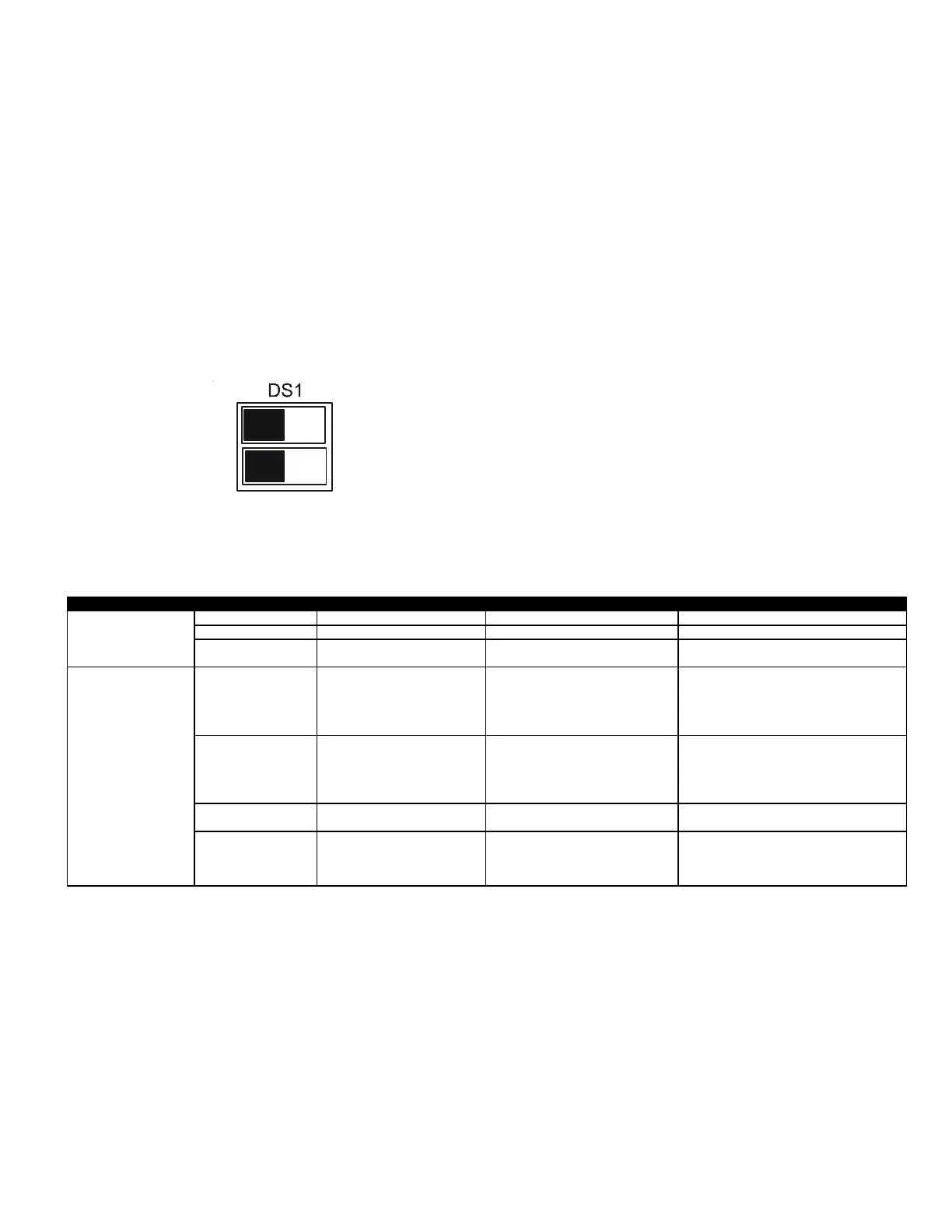
Verify that the bus DS1 dip switches are in the ON position.
Data 1 should be approximately 2.8 volt dc. Data 2 should be
approximately 2.2 volt dc. The voltage difference between data 1
and data 2 should be approximately 0.6 volt dc.
If the voltage difference is not .6 VDC, turn OFF DS1 switches Data
1 and Data 2. Reset Power and check for .6 DCV.
OFFON
1
2
The ComfortNet™ system is a fully communicating system, consti-
tuting a network. Occasionally the need to troubleshoot the net-
work may arise. The integrated control module has some on-
board tools that can be used to troubleshoot the network. These
tools are: red communications LED, green receive (Rx) LED, and the
learn button.
• Red communications LED – Indicates the status of the
network. The table below indicates the LED status and the
corresponding potential problem.
• Green receive LED – Indicates network traffic. The table below
indicates the LED status and the corresponding potential
problem.
• LEARN button – Used to reset the network. Depress the button
for approximately 5 seconds to reset the network.
TROUBLESHOOTING
OUTDOOR UNIT ERROR CODES
LED Status Indication Probable Causes Corrective Actions
Off Nominal condition ● None ● none
1 Flash Communications Failure ● Unknown packet is received ● Depress learn buon
2 Flash Out-of-box reset
● Control power up
● Learn buon depressed
● None
Off
No power
Communications error
● No power to Outdoor unit
● Open fuse
● Communicaon error
● Check circuit breakers and fuses; Replace if needed
●Reset network by depressing learn buon
● Check communicaon wires (data 1/ data 2 wires);
Replace if needed
1 Steady Flash No network found
● Broken/ disconnected communicaon
wire(s)
● AC is installed as a legacy/ tradional
system
● Check communicaon wires (data 1/ data 2 wires);
Replace if needed
● Check installaon type (legacy/ tradional or
communicating)
● Check data 1/ data 2 voltages
Rapid Flashing Nominal network traffic ● Control is "talking" on network as expected ● none
On Solid Data 1/Data 2 miss-wire
● Data 1 and data 2 wires reversed at indoor
unit, thermostat, or outdoor unit
● Short between data 1 and data 2 wires
● Short between data 1 or data 2 wires
● Check communicaon wires (data 1/ data 2 wires);
Replace if needed
● Check data 1/ data 2 voltages
LED COLOR
Red Communications LED
(H1P)
Green Receive LED
(H2P)



 To Next Page