5 | Operation
User reference guide
30
EWAA004~008D2 + EWYA004~008D2
Packaged air-cooled water chillers
and packaged air to water heat pumps
4P688016-1 – 2022.04
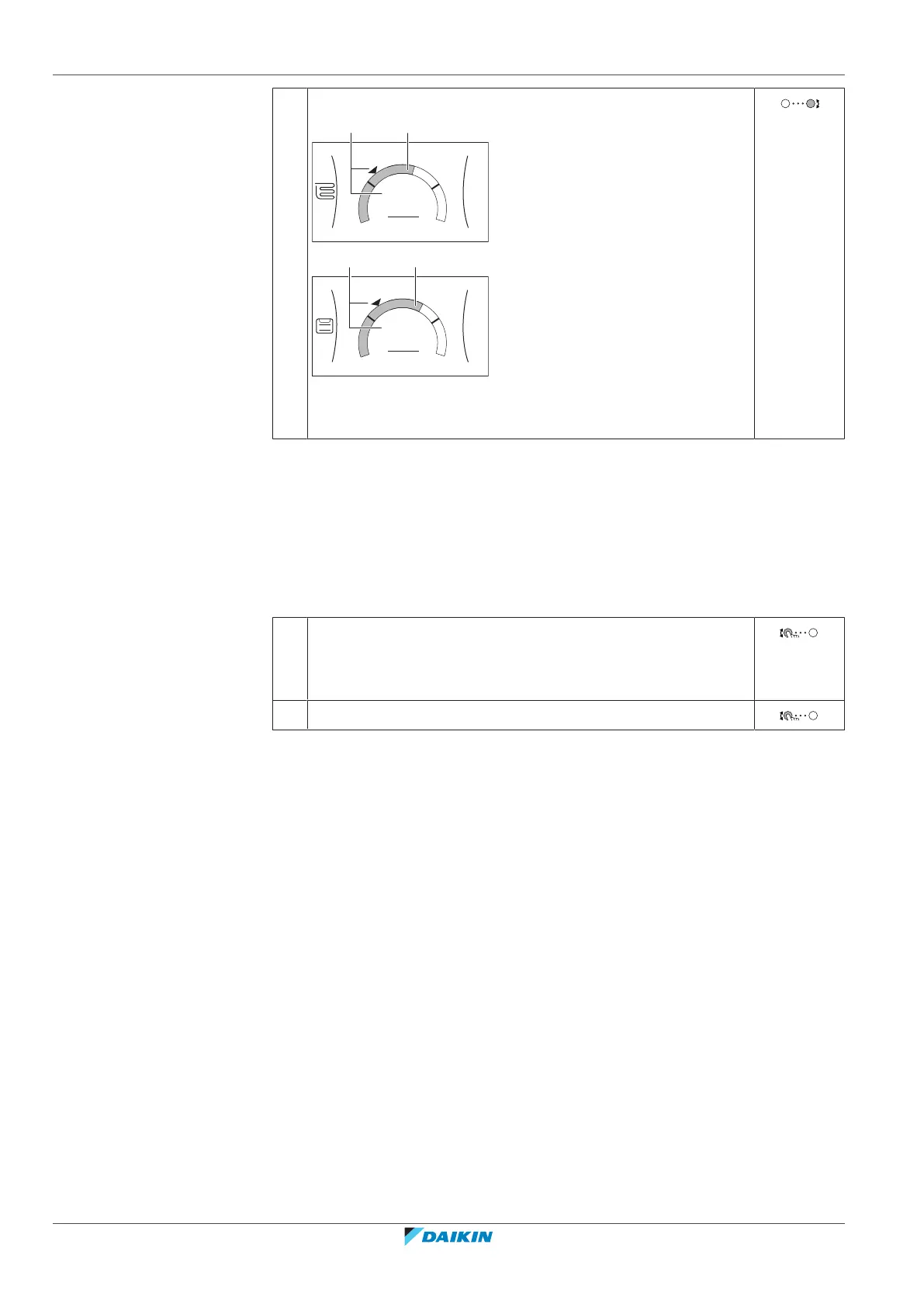
2 Adjust the desired leaving water temperature.
a Actual leaving water temperature
b Desired leaving water temperature
If scheduling is on after changing the desired leaving water temperature
▪ The temperature will stay the same as long as there is no scheduled action.
▪ The desired leaving water temperature will return to its scheduled value
whenever a scheduled action occurs.
You can avoid scheduled behaviour by (temporarily) turning off scheduling.
To turn off leaving water temperature scheduling
1 Go to one of the following:
▪ [2.1]: Main zone > Schedule
▪ [3.1]: Additional zone > Schedule
2 Select No.
To enable weather-dependent operation for the leaving water temperature
See "5.8.4Using weather-dependent curves"[443].
5.7 Preset values and schedules
5.7.1 Using preset values
About preset values
For some settings in the system, you can define preset values. You only need to set
these values one time, then reuse the values in other screens such as the
scheduling screen. If you later want to change the value, you only have to do it in
one place.
Possible preset values
You can set the following user-defined preset values:



 To Next Page