This document serves as an operation manual for Daikin Split System Heat Pumps, specifically covering Air Handling Units with models FTQ18TAVJUA, FTQ24TAVJUA, FTQ30TAVJUA, FTQ36TAVJUA, FTQ42TAVJUA, FTQ48TAVJUA, and their corresponding JUD versions. It provides comprehensive instructions for installation, operation, and maintenance, emphasizing safety and optimal performance.
Function Description
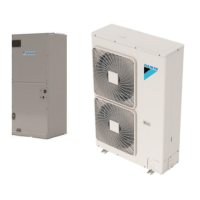
The Daikin Split System Heat Pump is designed to provide both cooling and heating for indoor spaces. It operates by transferring heat between the indoor and outdoor environments, offering a comfortable climate control solution. The system consists of an indoor air handling unit and an outdoor unit, working in conjunction to regulate temperature and humidity. The unit can operate in various modes, including Cool, Heat, Auto, Dry, and Fan Only, allowing users to select the most suitable setting for their comfort needs.
The remote controller, specifically the BRC1E type, serves as the primary interface for operating the heat pump. It features buttons for mode selection, fan speed control, menu access, setpoint adjustment (Up/Down), navigation (Right/Left), and On/Off control. An LCD screen with a backlight displays current settings, operation mode, and any alerts or messages. The system incorporates safety devices to prevent overload and ensure proper functioning, with automatic restart capabilities after power interruptions.
Usage Features
Operation Modes:
- Cool Mode: Provides cooling to the indoor space. The setpoint temperature can be adjusted within a specified range.
- Heat Mode: Provides heating to the indoor space. The system automatically controls operating modes to prevent reduction of heating capacity and maintain space comfort. It includes "Hot Start" functionality to prevent cold drafts by stopping the indoor fan when the system goes into heat mode.
- Auto Mode: Automatically selects between cooling and heating based on the desired temperature and current room conditions.
- Dry Mode: Dehumidifies the space at a reduced cooling capacity to prevent the room temperature from dropping to uncomfortable levels. In Dry Mode, the system maintains automatic temperature and fan speed control, and setpoint or fan speed settings are not available.
- Fan Only Mode: Circulates air without cooling or heating.
Remote Controller Functions:
- Operation Mode Selector Button: Used to cycle through and select the desired operation mode (Cool, Heat, Fan, Auto).
- Fan Speed Control Button: Adjusts the fan speed (Low, Medium, High). Note that available fan speeds may vary depending on the indoor unit model.
- Menu/OK Button: Accesses the main menu for advanced settings and confirms selections. The main menu includes options for Air Flow Direction, Ventilation, Schedule, Off Timer, Celsius/Fahrenheit, Maintenance Information, Configuration, Current Settings, Clock & Calendar, Daylight Saving Time, and Language.
- Up/Down Buttons: Adjust the setpoint temperature in 1°F (or 1°C) increments. Also used for navigating menu items.
- Right/Left Buttons: Navigate through menu screens and highlight items.
- On/Off Button: Initiates or stops system operation. The green operation lamp illuminates during operation and blinks if a malfunction occurs.
- Cancel Button: Returns to the previous screen or, when held for 4 seconds or longer, displays the service settings menu.
- LCD (with backlight): Displays system information. The backlight illuminates for approximately 30 seconds after any button press.
Special Features:
- Defrost Operation: The system automatically enters defrost mode to prevent frost accumulation on the outdoor unit and maintain heating capacity. During defrost, the indoor fan stops, and "STANDBY" (Defrost/Hot Start) is displayed on the remote controller. Normal operation typically resumes within 6-10 minutes.
- Air Flow Direction: Adjustable from the Main Menu, though this function may not be available for all indoor unit models (e.g., those without oscillating louvers).
- Power Protection: To protect the unit, it is recommended to turn on the main power switch 6 hours before initial operation. If power is lost during operation, the system will automatically restart once power is restored.
Maintenance Features
Homeowner's Routine Maintenance Recommendations:
- Filter Maintenance: It is crucial to operate the unit with a filter installed to prevent dust and lint buildup, which can lead to efficiency loss, equipment damage, and fire. Filters should be checked at least once a month and cleaned or replaced as needed. Disposable filters should be replaced, while reusable filters can be cleaned. High-efficiency filters are also available. The remote controller will display a "Time to clean filter" message when maintenance is due.
- Cleaning the Air Filter: Filters can be cleaned using a vacuum cleaner or by washing with water and neutral detergent. After washing, ensure the filter is dry before reinstallation. Do not use hot water or expose the filter to fire.
- Resetting the Filter Indicator: After cleaning or replacing the filter, the "Reset Filter Indicator" option in the Main Menu should be selected to clear the message from the display.
- Motor Lubrication: Indoor and outdoor fan motors are permanently lubricated and do not require additional oiling.
- Drainage: Ensure the drain piping performs complete drainage to prevent water leakage from the indoor unit due to clogged pipes. If issues arise, consult a dealer.
- Long-Term Shutdown: If the system will not be used for an extended period, it is recommended to run the FAN OPERATION for half a day to dry the unit, then shut off the main power supply to save energy.
- Pre-Operation Check (After Long Stop): Before restarting after a long stop, confirm that air inlets and outlets are not blocked, remove any obstacles, and check ground connections. Clean the air filter and turn on the main power switch at least 6 hours before operation.
Maintenance (for Service Personnel):
- Qualified Personnel: Only qualified personnel trained to install, adjust, service, or repair the equipment should perform maintenance. Improper service can lead to injury, property damage, or death.
- Power Disconnection: Always turn off all power supply switches before touching electrical parts or performing any maintenance to prevent electric shocks.
- Internal Cleaning: The inside of the indoor unit requires periodic cleaning, which should be performed by a Daikin dealer due to the need for special technologies. Improper cleaning can damage plastic parts or cause water leakage.
- Drain Pan Cleaning: The drain pan should be cleaned periodically to prevent clogging and water leakage.
- Coil Cleaning (Qualified Servicer Only): The aluminum tube evaporator coil should be flushed with water. Avoid using corrosive coil cleaners or drain pan tablets containing chemicals like chlorine or hydroxides, as these can cause premature coil failure. Approved cleaning agents are listed in TP-109. Coils must be rinsed well after any chemical cleaning.
- Electrical Heater Replacement: The electric heater should be replaced every 10 years as a guideline for safe and trouble-free operation.
Troubleshooting:
The manual provides guidance for common malfunctions, distinguishing between normal operational sounds/behaviors and actual issues.
- System Not Operating: Check for power failures, tripped circuit breakers, failed fuses, or if the unit is under centralized control. The system has a 3-minute safety delay before restarting after an overload.
- Insufficient Cooling/Heating: Check for blocked air inlets/outlets, clogged air filters, improper set temperature, low fan speed setting, open doors/windows, direct sunlight (during cooling), or excessive heat gain in the room.
- Unusual Noises: A ringing sound at startup is normal. A continuous "whoosh" sound is normal during refrigerant flow or drain pump operation.
- White Mist: Can occur during cooling in high humidity environments, especially if the indoor unit is contaminated.
- Dust from Units: Dust may blow out after starting operation if the unit has not been used for a while.
- Odors: The unit may absorb and emit room odors.
- Error Codes: If an error occurs, the remote controller will display an error code and contact information. Users should notify their Daikin dealer with this information.
Safety Precautions:
The manual stresses the importance of proper installation by licensed professionals, adherence to codes, and the use of specified parts. It warns against refrigerant leaks, improper grounding, and installing the unit in areas with flammable materials or corrosive gases. Users are advised not to touch refrigerant pipes immediately after operation due to extreme temperatures and to wear gloves if necessary.

 Need help?
 General



 To Next Page
