32
TIMER Operation TIMER Operation
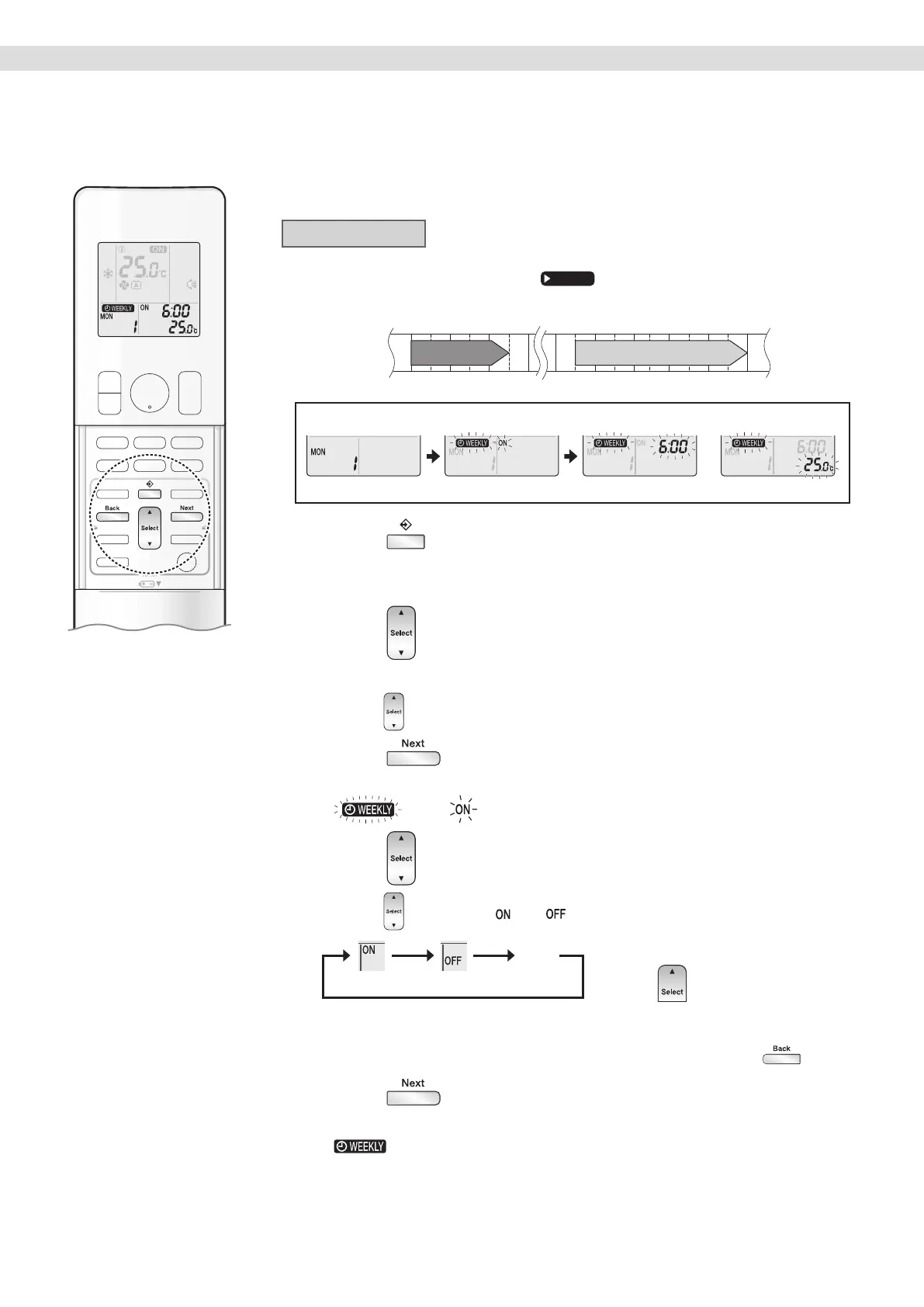
To use WEEKLY TIMER operation
Setting mode
• Make sure the day of the week and time are set.
If not, set the day of the week and time.
Page 11
25.0°C 27.0°C
Programme 1 Programme 2 Programme 3 Programme 4
ON OFF ON OFF
[Monday]
Day and number ON/OFF Time Temperature
Setting Displays
1. Press .
• The day of the week and the reservation number of the current day will be displayed.
• 1to 4settings can be made per day.
2. Press to select the desired day of the week
and reservation number.
• Pressing changes the reservation number and the day of the week.
3. Press .
• The day of the week and reservation number will be set.
• “
” and “ ” blink.
4. Press to select the desired mode.
• Pressing changes the “ ” or “ ” setting in sequence.
ON TIMER OFF TIMER No Setting
blank
Pressing puts the sequence in reverse.
• In case the reservation has already been set, selecting “blank” deletes the reservation.
• Proceed to STEP
9 if “blank” is selected.
• To return to the day of the week and reservation number setting, press
.
5. Press .
• The ON/OFF TIMER mode will be set.
• “
” and the time blink.
01_EN_3P705032-11D.indd 3201_EN_3P705032-11D.indd 32 06-Feb-24 2:19:51 PM06-Feb-24 2:19:51 PM





 To Next Page