49
When the Need Arises When the Need Arises
Wireless LAN connecting adapter
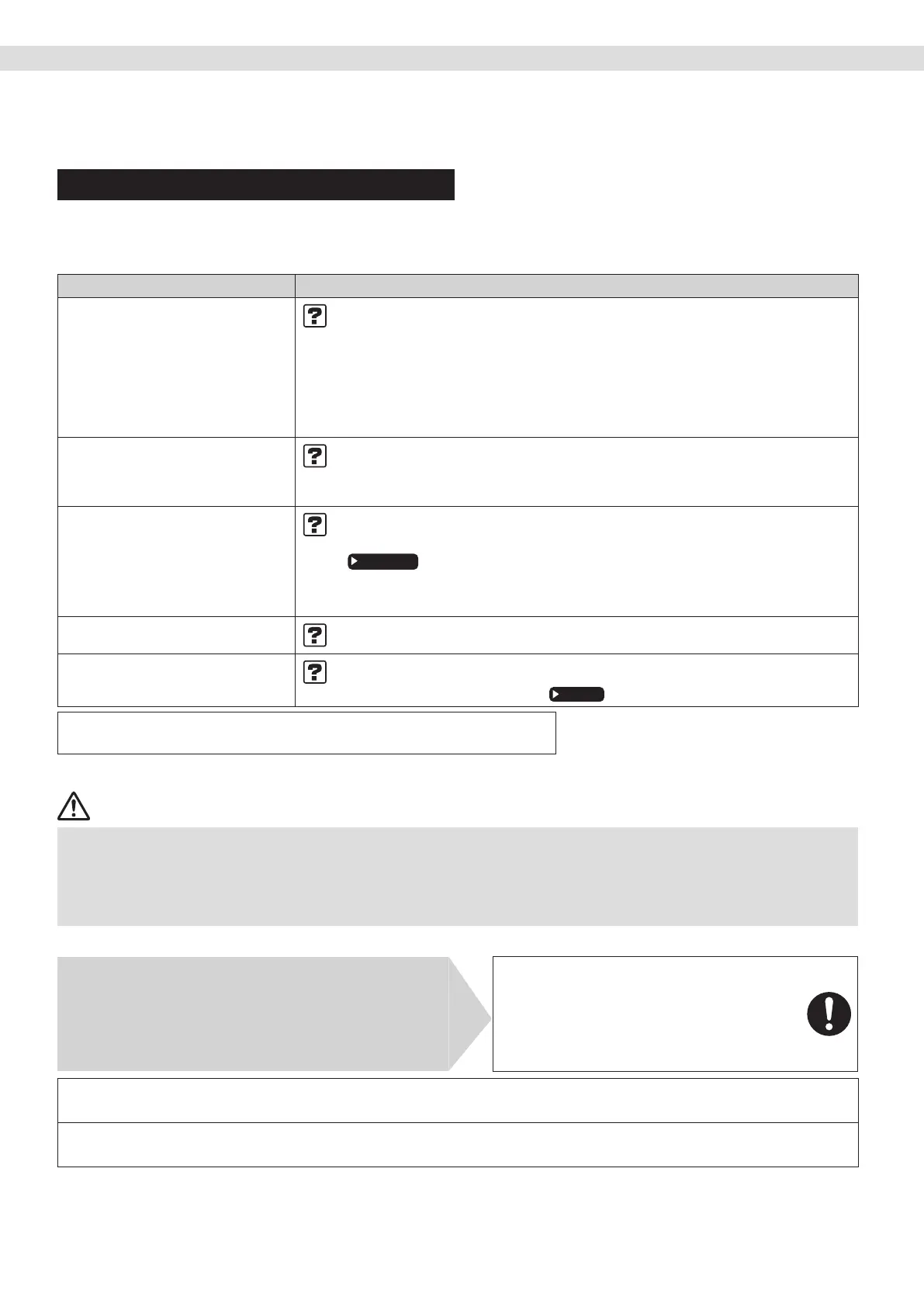
The following table provides brief descriptions of how to handle problems or carry out connection setting.
Refer to the FAQ on our web site for more details.
Wireless LAN connection
Case Description / what to check
While using the application
“In-home” mode.
The device (air conditioner) cannot be
found on the application screen.
• Carry out connection setting again.
• Move the router (wireless LAN access point) close to the indoor unit.
• There is a possibility that you are using an unsupported smart phone or router (wireless LAN
access point). For details, refer to the web site.
• If using iOS 15 or later:
- Turn off mobile data when connecting to an access point connection (AP connection).
(Smartphone connects to the wireless LAN connecting adapter directly.)
- When using the application for the rst time, please allow time for the iOS device to nd
and connect to other devices in the local network.
While using the application
“Out-of-home” mode.
The device (air conditioner) cannot be
found on the application screen.
•
Is the wireless LAN connecting adapter out-of-home status is OFF ?, please set to ON or check the
application manual for the out-of-home “Initial Set up” in the DAIKIN Mobile Controller application.
• Communication between the router and the internet connection may not be working.
Please conrm.
The DAIKIN EYE lamp does not blink
or light.
• Is the circuit breaker turn off ?, please turn on.
• Is the wireless LAN connecting adapter ready enable ?
Please check and conrm to the wireless LAN connecting adapter connection status.
Page 37-38
•
Malfunction in communication between the indoor unit and the wireless LAN connecting adapter.
• There may be a problem with your device. Please contact the store where you bought the air
conditioner to request a repair service.
None of the above work.
• Refer to the FAQ on: https://www.daikinthai.com/product/dmobile/FAQ or see FAQ via
the tab menu in the DAIKIN Mobile Controller application.
The wireless LAN connecting adapter
(DaikinAP*****) is not visible on the
Wi-Fi available networks in smartphone
• Is the smartphone or your device setting search for the wireless LAN connecting adapter
frequency 2.4 GHz?
• Is the DAIKIN EYE lamp is blinking?
Page 38
For instructions about how to operate the DAIKIN Mobile Controller application,
please refer to the operation manual at https://www.daikinthai.com/product/dmobile
Call your dealer immediately
WARNING
When an abnormality (such as a burning smell) occurs, stop operation and turn off the circuit breaker.
• Continued operation in an abnormal condition may result in problems, electric shock or re.
• Consult the dealer where you bought the air conditioner.
Do not attempt to repair or modify the air conditioner by yourself.
• Incorrect work may result in electric shock or re.
• Consult the dealer where you bought the air conditioner.
If one of the following symptoms occurs, call your dealer immediately.
• The power cord is abnormally hot or damaged.
• An abnormal sound is heard during operation.
• The circuit breaker, a fuse, or the earth leakage circuit breaker
cuts off the operation frequently.
• A switch or a button often fails to work properly.
• There is a burning smell.
• Water leaks from the indoor unit.
Turn off the circuit breaker and call your dealer.
After a power failure
• The air conditioner automatically resumes operation in about 3minutes. Please wait for a while.
Lightning
•
If there is a risk lightning could strike in the neighbourhood, stop operation and turn off the circuit breaker to protect the system.
Disposal requirements
• Dismantling of the unit and handling of the refrigerant, oil and other parts should be done in accordance with the relevant
local and national regulations.
Troubleshooting
01_EN_3P705032-11D.indd 4901_EN_3P705032-11D.indd 49 06-Feb-24 2:20:09 PM06-Feb-24 2:20:09 PM


 To Next Page
 Loading...