EasyManua.ls Logo

Daisy FX 1300 - User Manual

Daisy FX 1300
2 pages
Print Icon
To Next Page IconTo Next Page
Loading...
DAISY FX 1300
CASH REGISTERS
PAPER REPLACEMENT
1. PRESS THE PRINTER OPENER
2. INSERT THE PAPER
3. CLOSE THE COVER
Fiscal printer
CALL THE TECHNICIAN
BRANCH
ADDRESSES
TBILISI – 45 VAZHA PSHAVELA AVE
TBILISI – 12 TSERETELI AVE
RUSTAVI – 31 KOSTAVA STR
TELAVI – 41 D. AGHMASHENEBELI STR
GORI – 2 LUNACHARSKI STR
KHASHURI – 2 1 MAY STR
AKHALTSIKHE – 16 NATENADZE STR
AKHALKALAKI – 40A TAMAR MEPHE STR
ZESTAPONI – 39 D. AGHMASHENEBELI STR
KUTAISI – 2 JAVAKHISHVILI STR
ZUGDIDI – 5 STALIN STR, APT 2
POTI – 1 PARNAVAZ MEPE STR
OZURGETI – 19 CHAVCHAVADZE STR
BATUMI – 136/138 GORGASALI STR
BATUMI – 16 PIROSMANI STR
KOBULETI – 134 RUSTAVELI STR
BORJOMI - 2 GIORGI SAAKADZE STR
OUR OFFICIAL DISTRIBUTORS:
LLC “BATUMI CITY GROUP”
KOBULETI – 122 RUSTAVELI STR
BATUMI – 57 TBEL ABUSERIDZE STR
SERVICE INCLUDES:
- REPAIR OF CASH REGISTER AT YOUR BUSINESS LOCATION
- SERVICE IN THE SHORTEST TIME AND FOR A REASONABLE PRICE
- TELEPHONE SUPPORT FROM 09:30 TO 24:00
(032) 2 500 111
USE CASH REGISTER PAPER DELIVERY SERVICE
CASH REGISTERS
GEORGIAN SERVICE NETWORK
45 Vazha-Pshavela Ave,
12 Tsereteli Ave.
45 Vazha-Pshavela Ave,
12 Tsereteli Ave.
OPERATING MANUAL
Question and Answer IconNeed help?

Do you have a question about the Daisy FX 1300 and is the answer not in the manual?

Summary

Paper Replacement Procedure

Press Printer Opener

Instructions on opening the printer to access the paper roll compartment.

Insert Paper Roll

Steps for properly loading the thermal paper roll into the printer.

Close Printer Cover

Final step to secure the printer cover after paper loading.

Keyboard Operation Modes

Stand-alone Reports

Printing X-report, Z-report, and SE-Report in stand-alone mode.

Fiscal Memory Functions

Operating fiscal memory short reports and performing tests.

Diagnostic and Test Procedures

Running printer diagnostics, screen tests, and ASCII table checks.

Fiscal Printer Connectivity

Connection Ports

Details on USB, Electronic Cash Drawer, RS232, power, and display connections.
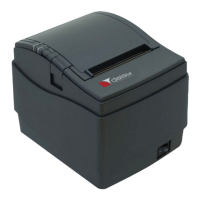
Daisy FX 1300 Specifications

General IconGeneral
BrandDaisy
ModelFX 1300
CategoryPrinter
LanguageEnglish

Related product manuals