17
GB
16
D
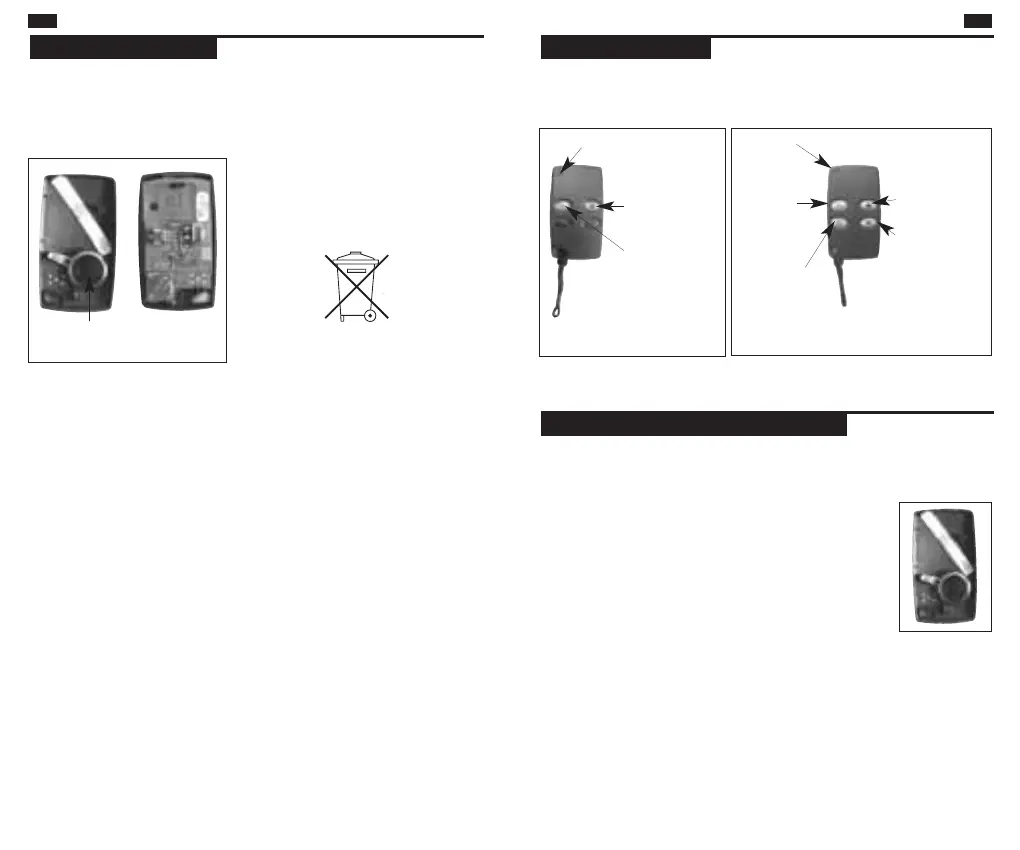
The remote control:
■ DP1612 have 2 functions : Off and Complete.
■ DP1614 have 4 functions : Off, Partial, Complete and Prog. key.
Implementation
Prog. key
Light
indicator
On/
Group 2
Off
Off
DP1612 DP1614
Light
indicator
On/
Group 2
The batteries of the remote control are already fitted.
■ Open the remote control by unscrewing the base.
■ Remove the pre-cut section of the guarantee
sticker located inside hood and stick it on to the
guarantee extension request supplied.
■ Verify the state of batteries by pressing a key,
the red LED should illuminate during the press.
Preparing the remote control
Partial/Group 1
Wenn die rote LED beim Tastendruck nur noch schwach leuchtet,
müssen die beiden Batterien gewechselt werden. Die Program-
mierung bleibt nach einem Batteriewechsel erhalten.
Batteriewechsel


 To Next Page