NAMES AND FUNCTIONS OF INDOOR UNIT CONTROLS
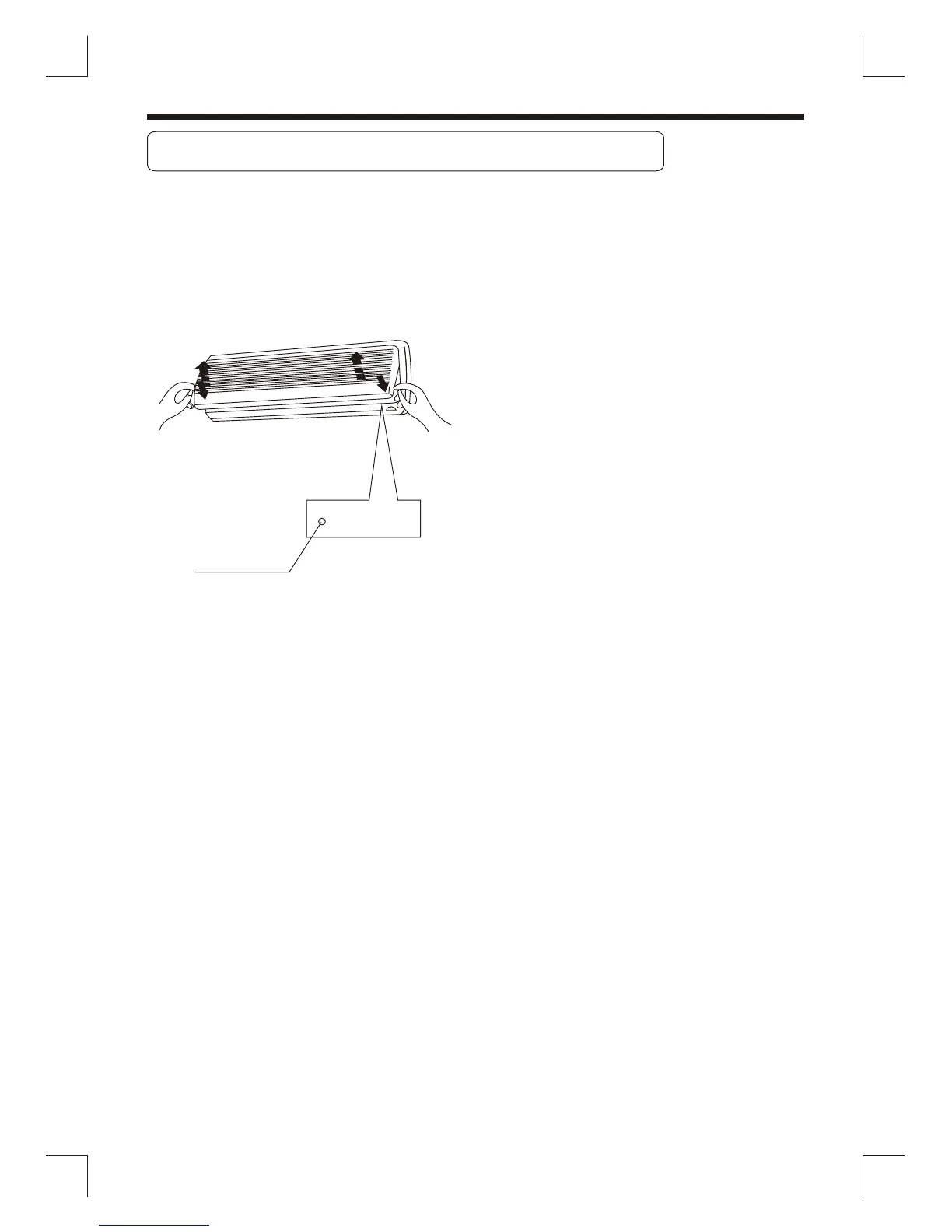
Lift the front panel to perform control
panel settings.
Normally set this switch to remote control.
If you miss the remote controller or its
batteries are exhausted, set this switch
to the Auto/Cool Position for temporary
operation.
Opening the front panel
Pull up from two ends of the front panel.
Open the panel and lift the panel up to
an angle where it remains fixed. Do not
lift the panel any further when it stops
with a clicking sound.
Closing the front panel
Lower ends of the front panel, push the
ends on both sides. Close the panel firmly.
Control panel
Temporary
.
.
Auto/Cool
Temporary
operation
4



 To Next Page