20
ENGLISH
Other features
Power Outage
In the case of a power outage or interruption,
the unit will automatically re-start, in the settings as
used, after the power is restored.
Wait 3 minutes before resuming operation
After the unit has stopped, it can not be restarted
operation in the fi rst 3 minutes. This is to protect
the unit. Operation will automatically start after 3
minutes.
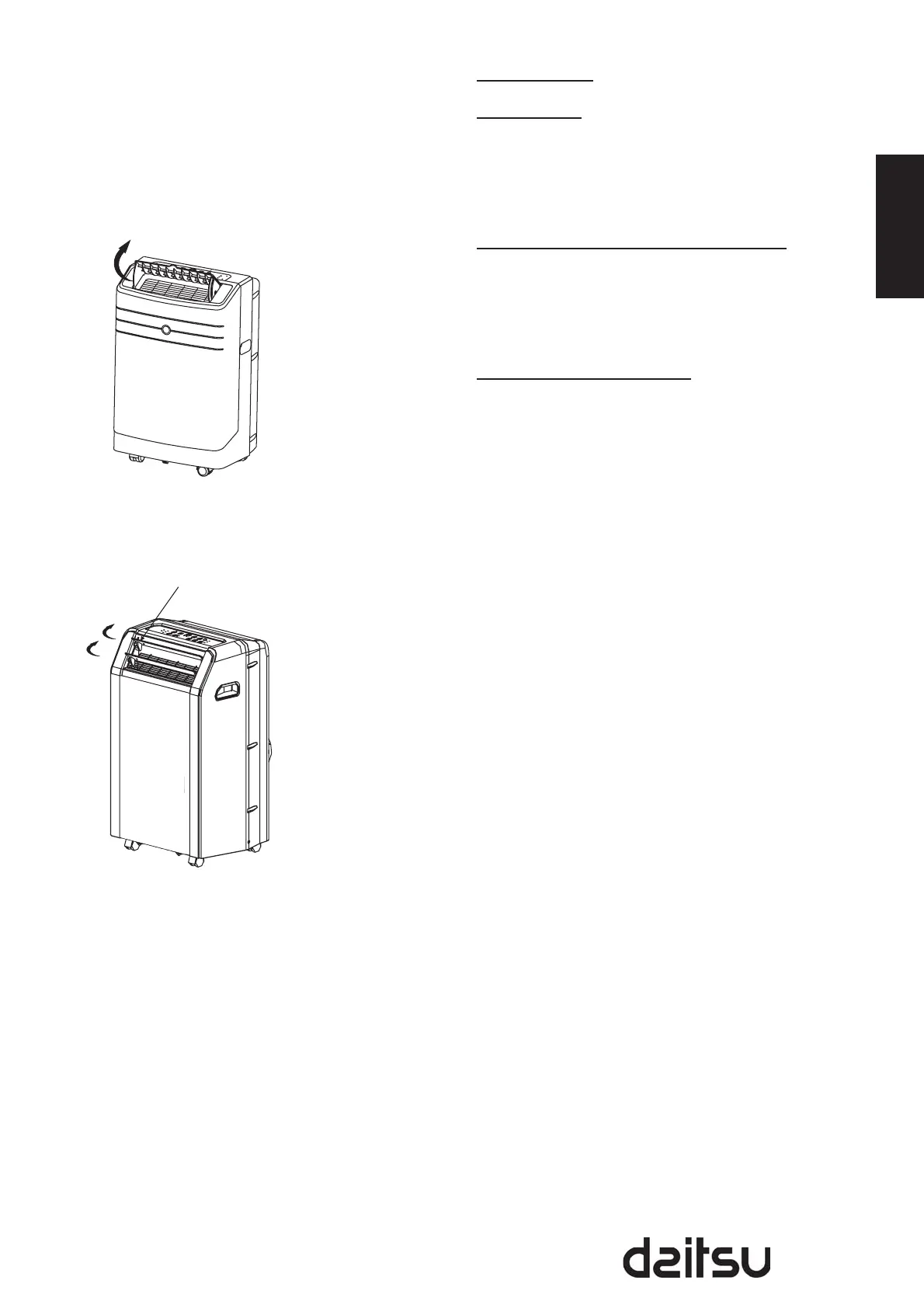
Air fl ow direction adjustment
The louver can be adjusted manually or
automatically according to the different models.
Adjust the air fl ow direction automatically (Fig.5):•
- The louver can be set to the desired position
manually. The max setting angle is about 60 ,
please do not force to set any larger.
- Do not place any heavy objects or other loads
on the louver, doing so will cause damage to the
unit.
- Ensure the louver is fully opened under heating
operation.
- Keep the louver fully opened during operation.
Adjust the air fl ow direction automatically (Fig.6):•
- When operation is ON, the louver opens fully.
Use the SWING button on the remote controller
can stop the louver at the desired angle.
- The louver move up to an angle of 6 for each
press until it move to a position which would
affect the cooling or heating effect of the air
conditioner, it would automatically change the
swing direction.
- If keep pressing the SWING button more than 2
seconds, the auto swing feature is activated. The
louver swings as shown in Fig.6
Swings automatically
Fig. 6
Adjust manually
Fig. 5


 To Next Page