4
BASE BUTTONS / OPERATIONAL
Base back side has 5 sockets for:
•
PSTN line: For landline connection
•
PAGE button: To call another terminal or terminals registration mode
•
UNIT ON/OFF switch: The switch must be ON at all time allowing the system fully operational
•
USB connection: For power adapter connection
•
SIM card slot: Normal size SIM card. Insert and remove by a push & click (“new” sim card area
covered by a protection cover)
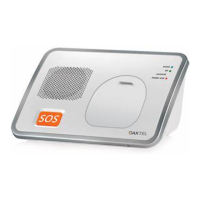
BASE LED INDICATIONS
•
RED: steady when handset in charging mode + steady when in a call + flashes in registration mode
and low battery consumption
•
WHITE: Cellular network connection indication
•
GREEN: Wi-Fi connection indication
•
BLUE: flash when RF pendant/s lost link (“accessory lost link indication”). IMPORTANT: DUE TO
POWER CONSUPTION AND POWER SAVING, THE LOST LINK INDICATION (LOCALLY AND BY SMS
alert) will be after 24 hrs.)
BEFORE FIRST USE AND OPERATIONAL
•
Please insert the SIM card into the base unit (when inserting the SIM, make sure that the power
switch is OFF and power supply disconnected)
•
After inserting the SIM, replace the sim cover and screw it correctly
•
Connect the power supply and turn ON the switch. The carrier name will appear on the screen once
the connection is successful
•
Insert the battery to the handset and turn it ON. The handset will automatically be registered to the
base. If the handset does not register to the base (handset display flashes), follow the below
instructions:
•
Long press on the base PAGE button till the base red led flashes on the base.
•
Go to handset registration mode and press menu/ok
•
Select base 1-4 and press menu/ok
•
Insert the password: 0000 and press menu/ok


 To Next Page