
 Need help?
Do you have a question about the Dalibor Farny Puri Nixie and is the answer not in the manual?
Step-by-step instructions for setting up the clock when connected to the internet.
Steps to set up and operate the clock independently of an internet connection.
Details on how the clock operates when connected to a WiFi network.
Explains how to operate the clock without an internet connection.
How to create and manage a user account for clock control.
Using the web-based interface for clock configuration.
Controlling the clock via the dedicated iOS mobile application.
Controlling the clock via the dedicated Android mobile application.
Programmatic control of the clock using the Cloud API.
Comprehensive guide for connecting the clock to a Wi-Fi network.
Managing clock time, date, and internal oscillator calibration.
Adjusting digit transition animations and separator tube behavior.
Maintaining Nixie tubes through cleaning and healing processes.
Instructions on how to perform remote firmware updates for the clock.
Activating a mode to transfer WiFi credentials to the clock.
Understanding the meaning of the System LED for connection status.
Establishing a direct WiFi connection to the clock without a router.
Programming the clock's brightness based on day and night schedules.
 General
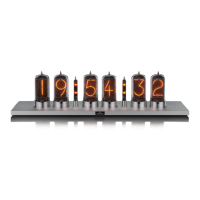
| Display Type | Nixie Tube |
|---|---|
| Number of Tubes | 6 |
| Power Supply | 12V DC |
| Control Interface | Touch Buttons |
| Case Material | Aluminum |

 To Next Page