EasyManua.ls Logo

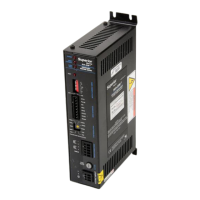
Danaher Motion Superior Electric SLO-SYN SS2000D3 - User Manual

Danaher Motion Superior Electric SLO-SYN SS2000D3
33 pages
Print Icon
To Next Page IconTo Next Page
Loading...
Visit us on the web:
www.servo-repair.com
www.servorepair.ca
www.ferrocontrol.com
www.sandvikrepair.com
www.accuelectric.com
For 24/7 repair services :
USA: 1 (888) 932 - 9183
Canada: 1 (905) 829 -2505
Emergency After hours: 1 (416) 624 0386
Servicing USA and Canada
Scroll down to view your document!
Over 100 years cumulative experience
24 hour rush turnaround / technical support service
Established in 1993
The leading independent repairer of servo motors and drives in North America.

Questions and Answers

  • E
    Elaine PorterAug 21, 2025
    How to fix electrical interference problems with Danaher Motion Superior Electric SLO-SYN SS2000D3 DC Drives?
    • J
      josephbauerAug 22, 2025
      To troubleshoot electrical interference issues with Danaher Motion DC Drives, begin by assessing the AC line voltage quality using an oscilloscope and a line monitor. Implement appropriate line conditioning techniques, such as incorporating line filters or isolation transformers. Ensure that all recommended wiring practices are adhered to, specifically regarding location, grounding, wiring, and relay suppression. Verify that grounding connections are secure, electrically sound, and as direct and short as possible. Attempt to operate the drive while turning off potential noise sources. If the drive then functions correctly, reintroduce the noise sources individually to pinpoint the source of the interference. Once identified, try rerouting wiring or suppressing relays to resolve the issue.
  • L
    Lindsey RoachAug 31, 2025
    What to do if Danaher Motion Superior Electric SLO-SYN SS2000D3 have electrical interference?
    • A
      Angela RyanAug 31, 2025
      If you're experiencing electrical interference with your Danaher Motion DC Drives, try these steps: First, check the AC line voltage quality with an oscilloscope and line monitor. Second, use line conditioning methods like filters or isolation transformers. Third, confirm that you're following all wiring recommendations for location, grounding and relay suppression. Fourth, make sure grounding connections are solid, electrically sound, short, and direct. Fifth, run the drive with suspected noise sources off. If it works, turn them back on one by one to find the problem. Finally, once you find a noise source, reroute wiring or suppress relays to eliminate it.
  • T
    Troy KelleyNov 10, 2025
    How to troubleshoot electrical interference problems with Danaher Motion DC Drives?
    • L
      Logan RomeroNov 10, 2025
      To address electrical interference issues with Danaher Motion DC Drives, consider the following steps: * Verify the AC line voltage quality using an oscilloscope and line monitor. If voltage problems are detected, implement suitable line conditioning techniques, such as line filters or isolation transformers. * Ensure adherence to all recommended wiring practices concerning location, grounding, wiring, and relay suppression. * Thoroughly inspect grounding connections to confirm they are electrically sound, short, and direct. * Attempt to operate the drive while deactivating potential noise sources. If proper drive function is observed, reactivate the noise sources individually to pinpoint the cause of interference. Once identified, try rerouting wiring or suppressing relays to res...

Danaher Motion Superior Electric SLO-SYN SS2000D3 Specifications

General IconGeneral
BrandDanaher Motion
ModelSuperior Electric SLO-SYN SS2000D3
CategoryDC Drives
LanguageEnglish

Related product manuals