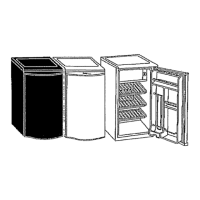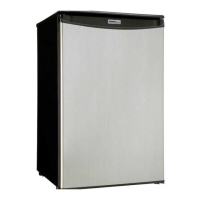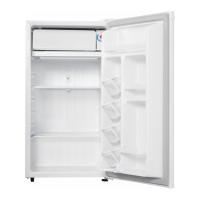
EasyManua.ls Logo

Danby Designer DAR125SLDD - User Manual

Danby Designer DAR125SLDD
19 pages
Print Icon
To Next Page IconTo Next Page
Loading...
Model • Modèle
DAR125SLDD
ALL REFRIGERATORUR
TOUT RÉFRIGÉRATEUR
Owners Use and Care Guide
Guide d’utilisation et soins de Propriètaire
V1.09.10

Questions and Answers

  • N
    nfrazierJul 26, 2025
    Why is my Danby Designer DAR125SLDD Refrigerator not cold enough?
    • S
      Sara DavisJul 26, 2025
      If the internal temperature of your Danby Refrigerator isn't cold enough, check the following: * Make sure the power cord is properly connected and the unit is plugged in. * Verify the temperature control settings and adjust if needed. * Avoid frequent or prolonged door openings. * Ensure food is at room temperature before placing it inside. * Allow adequate airflow around the unit. * Confirm you are using the correct voltage. * Keep the refrigerator away from heat sources and direct sunlight.
  • G
    Gary HallAug 3, 2025
    How to remove ice formation on the inner rear wall of Danby Designer DAR125SLDD?
    • A
      Allison HernandezAug 3, 2025
      If ice forms on the inner rear wall of your Danby Refrigerator: * Set the thermostat knob to the OFF (0) position and leave the door open to defrost. Avoid using electrical devices for defrosting or scraping ice with sharp objects. * After defrosting, set the knob to the desired position and close the door. * Clean the door gasket or replace it if damaged to ensure a good seal.
  • W
    williamskathrynAug 9, 2025
    What to do if Danby Designer DAR125SLDD Refrigerator runs continuously?
    • K
      Katherine JohnsonAug 9, 2025
      If your Danby Refrigerator is running continuously, try these steps: * Increase the temperature settings. * Ensure the door is fully closed. * Let hot food cool to room temperature before refrigerating. * Reduce how often and how long you open the door. * Keep the unit away from heat sources and direct sunlight.
  • M
    Mrs. Sandra LopezAug 17, 2025
    How to reduce noise from Danby Designer DAR125SLDD?
    • K
      Katherine CooperAug 18, 2025
      To address noise issues with your Danby Refrigerator: * Ensure the appliance is level and on a firm, solid base. * Make sure the refrigerator isn't touching any walls or kitchen units. * Check that accessories inside are correctly placed to prevent rattling or vibrations.

Summary

Important Safety Information

Grounding Instructions

Ensures the appliance is properly grounded to reduce electric shock risk by providing an escape wire for electrical current.

Safety Precautions

Disposing Worn Out Appliances

Safe disposal of old appliances, focusing on removing locks and ensuring child safety to prevent entrapment.

Installation Instructions

Choosing the Right Location

Guidance on selecting an optimal placement for the refrigerator, considering floor, space, and environmental factors.

Installation

Instructions for physically placing and leveling the appliance on a solid base for stable operation.

Connection to Power Supply

Procedure for connecting the appliance to a properly grounded wall outlet, noting voltage and frequency requirements.

Operating Instructions

Temperature Selection

Guidance on using the thermostat knob to control refrigerator temperature based on food storage and ambient conditions.

Troubleshooting

Danby Designer DAR125SLDD Specifications

General IconGeneral
BrandDanby
ModelDesigner DAR125SLDD
CategoryRefrigerator
LanguageEnglish

Related product manuals