OPERATING INSTRUCTIONS
8
Two Stage Cooking
Some recipes require different
stages of cooking at different
temperatures. To set a two stage
cook program:
1. Press the Time Cook button and
use the number pad to enter the
desired cooking time for the fi rst
stage.
2. Press the Power level button
and use the number pad to
enter the desired power level
for the fi rst stage.
3. Press the Time Cook button and
use the number pad to enter
the desired cooking time for the
second stage.
4. Press the Power level button
and use the number pad to
enter the desired power level
for the second stage.
5. Press the Start/+30sec button
to begin operation.
LIGHT CONTROL
Press the Light button to control
the light at the bottom of the
microwave.
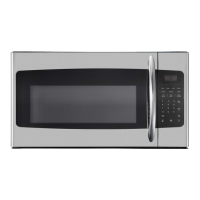
FAN CONTROL
The fan in the microwave can be
used as a range hood to remove
smoke, odors and grease from the
air while cooking. Press the Fan
button to control the fan speed.
• Press once for low speed.
• Press twice for high speed.
• Press three times to turn the fan
off.


 To Next Page