EasyManua.ls Logo

Danby DPA120CB5BP - User Manual

Danby DPA120CB5BP
40 pages
Print Icon
To Next Page IconTo Next Page
Loading...
DANBY PRODUCTS LIMITED, ONTARIO, CANADA N1H 6Z9
DANBY PRODUCTS INC., FINDLAY, OHIO, USA 45840
• OWNER’S USE AND CARE GUIDE
• GUIDE D’UTILISATION ET D'ENTRETIEN
MODEL • MODÈLE
FOR YOUR SAFETY: Read these instructions carefully before operating the unit.
POUR VOTRE SÉCURITÉ: Lire attentivement ces instructions avant d’utiliser l’appareil.
ENGLISH
2015.06.02
DPA120CB5BP
DPA120CB5WP
DPA120UB5BP
DPA120UB5WP
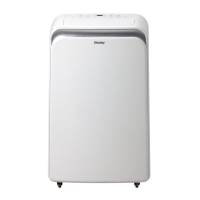
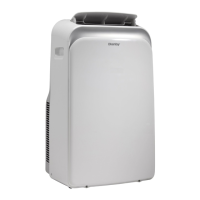
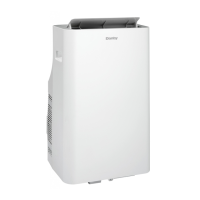
PORTABLE AIR CONDITIONER
CLIMATISEUR PORTATIF
Question and Answer IconNeed help?

Do you have a question about the Danby DPA120CB5BP and is the answer not in the manual?

Overview

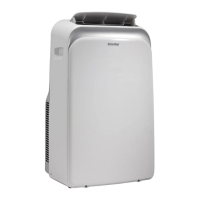
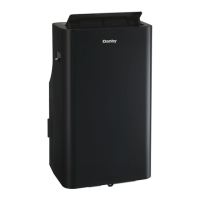
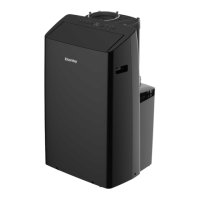
This document describes the Danby Premiere portable air conditioner, models DPA120CB5BP, DPA120CB5WP, DPA120UB5BP, and DPA120UB5WP.

Function Description

The Danby Premiere portable air conditioner is designed to provide cooling and dehumidification for indoor spaces. It can also operate in fan-only mode. The unit is equipped with a three-pronged grounded plug for safety and must be connected to a properly grounded wall receptacle. It is suitable for use in various room sizes and is designed for easy portability with casters.

Important Technical Specifications

  • Models: DPA120CB5BP, DPA120CB5WP, DPA120UB5BP, DPA120UB5WP
  • Operating Temperature Range:
    • COOL mode: 17°C (62°F) ~ 35°C (95°F)
    • DRY mode: 13°C (55°F) ~ 35°C (95°F)
  • Power Supply: The unit is factory equipped with a three-pronged grounded plug.
  • Grounding: Requires a properly grounded wall receptacle.
  • Airflow Clearance: Requires at least 30 cm (1 foot) of space around the unit for efficient air conditioning.
  • Window Kit: Designed to fit most standard vertical and horizontal window applications. The window slider kit can be adjusted in length from 72.0 cm (2.36 ft) to 207.0 cm (6.79 ft).
  • Drainage: Features an upper drain plug for continuous dehumidifying mode and a bottom drain plug for manual draining when the internal tray is full.

Usage Features

  • Control Panel: The unit features a control panel with buttons for various functions and an LED display.
  • Remote Control: Some models include a remote controller and battery for convenient operation.
  • Operating Modes:
    • COOL mode: Provides cooling within the specified temperature range. Users can select their desired room temperature (17°C-30°C / 62°F-86°F) and fan speed.
    • AUTO mode: Automatically selects cooling or fan-only operation based on the selected temperature and room temperature. Fan speed cannot be manually selected in this mode.
    • FAN operation: Operates as a fan only, with selectable fan speeds (LOW, MEDIUM, HIGH, AUTO-FAN). Temperature cannot be adjusted in this mode, and the window hose should not be used.
    • DRY mode (Dehumidification): Removes moisture from the air. Requires the upper drain plug to be removed and a drain hose installed for continuous drainage.
  • Fan Speed: Adjustable in COOL and FAN modes (LOW, MEDIUM, HIGH, AUTO-FAN).
  • Temperature Adjustment: Uses UP/DOWN arrow buttons to set temperature in 1°C/1°F increments within the operating range.
  • Timer Function:
    • Auto-stop program: Sets a time for the unit to turn off automatically when the unit is on.
    • Auto-start program: Sets a time for the unit to turn on automatically when the unit is off.
    • Adjustable in 0.5-hour increments up to 10 hours, then 1-hour increments up to 24 hours.
  • SLEEP Function: In cooling mode, the temperature increases by 1°C/2°F every half hour for 1 hour, then holds this new temperature for a period before returning to the original setting. This feature is unavailable in FAN and DRY modes.
  • Power Outage Recovery: The unit automatically restarts with default settings after a power outage. A 3-minute wait is required before resuming operation to protect the unit.
  • Airflow Direction Adjustment: The horizontal louver blade swings automatically. The SWING button on the control panel or remote can be used to initiate or stop the auto swing feature. Manual adjustment of the louver is not recommended.
  • Error Codes: The LED display shows error codes (E1, E2, E4, P1) to indicate specific issues such as temperature sensor errors, communication errors, or a full water tray.

Maintenance Features

  • Air Filter Cleaning: The air filter should be cleaned at least once every two weeks to ensure efficient fan operation.
    • Removal: The unit has two filters (upper and lower). The upper filter lifts out, and the lower filter is removed by loosening a screw.
    • Cleaning: Wash filters gently in warm water (approx. 40°C / 104°F) with a neutral detergent, rinse, and let dry in a shaded area.
    • Reinstallation: Install the upper filter first, then the lower filter using the screw. Filters must be dry before installation.
  • Unit Enclosure Cleaning: Use a lint-free cloth soaked in neutral detergent, wrung of excess water, to clean the unit enclosure. Finish by wiping with a clean, dry cloth.
  • Long-Term Storage:
    • Drain all water from the unit by removing the rubber plug at the back and the bottom drain plug.
    • Run the appliance in FAN mode for half a day in a warm room to dry the interior and prevent mold.
    • Turn off and unplug the unit, wrap the cord, and secure it with tape.
    • Remove batteries from the remote control.
    • Clean and reinstall the air filters.
  • Grounding Method: The power cord is equipped with a three-pronged grounded plug. If the circuit does not have a grounding type receptacle, it is the customer's responsibility to have it exchanged by a qualified electrician. The third ground prong should never be cut or removed.
  • Damage Prevention: Do not use the cord, plug, or appliance if they show any sign of damage.
  • Water Drainage:
    • For continuous dehumidifying, remove the upper drain plug and install a drain connector with a 3/4" hose, directing the hose to a drain area. Ensure the hose is secure, kink-free, and positioned downwards for smooth water flow.
    • When the bottom tray is full (P1 error), the unit will beep, and the cooling/dehumidification process will stop. The unit must be moved to a drain location, and the bottom drain plug removed to empty the water.
    • Always protect carpeting or floors from water spillage during operation or draining.
    • Reinstall the bottom drain plug before using the unit after draining.

Danby DPA120CB5BP Specifications

General IconGeneral
BrandDanby
ModelDPA120CB5BP
CategoryAir Conditioner
LanguageEnglish

Related product manuals