Operating Instructions
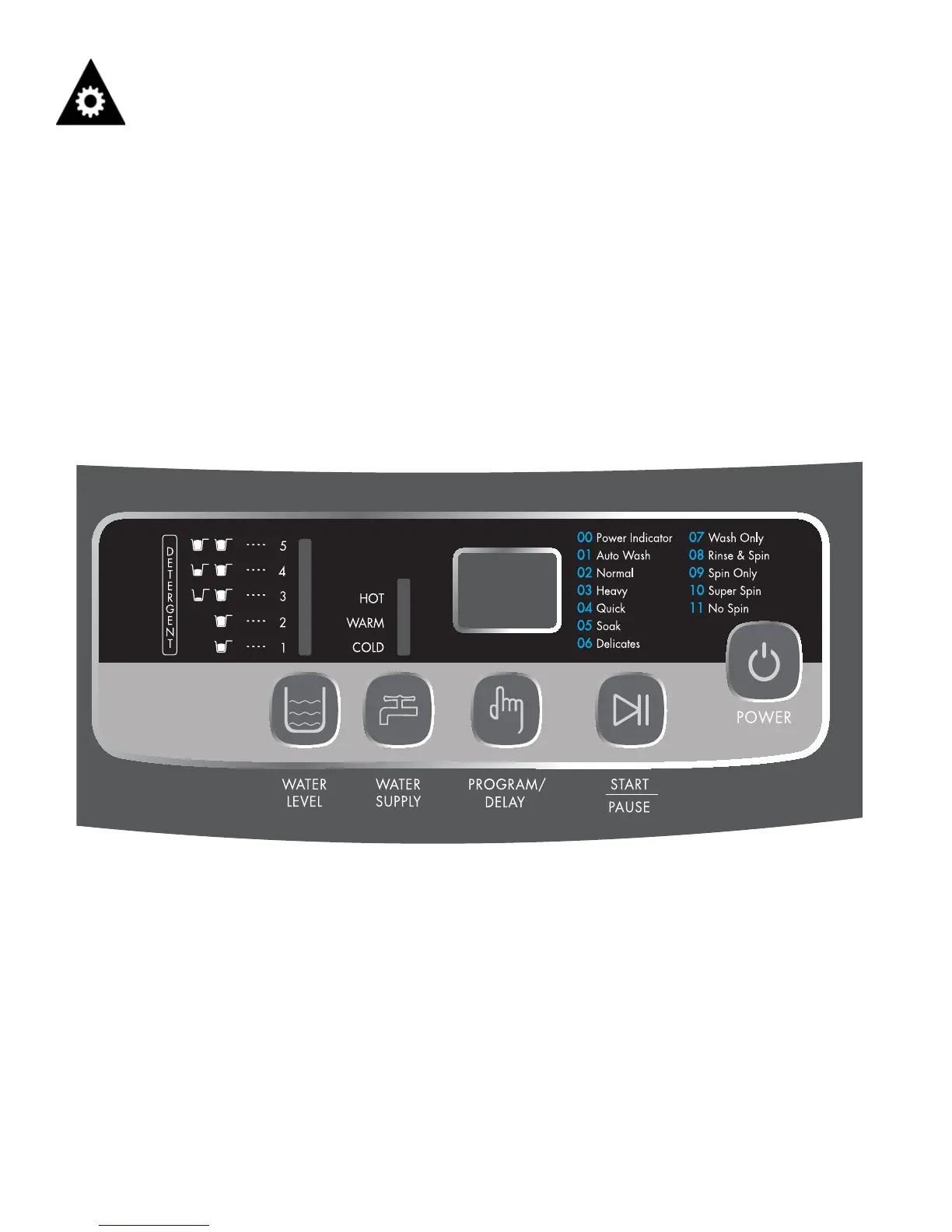
CONTROL PANEL
1. Water Level Button - Press to select water level.
2. Water Supply Button - Press this button to select water temperature.
3. Program/Delay Button - Press this button to select the program you need, press again to select the delay time you
would like to set.
4. Start/Pause Button - Press this button to start/pause the washing machine.
5. Power Button - Press this button to turn the unit on and off. Do not turn on the unit again until 3 minutes after it was
turned off. The unit will turn off automatically once the wash program has fi nished. The unit will turn off 10 minutes
after turning on, if a wash cycle has not been activated.
9


 To Next Page