EasyManua.ls Logo

Danby Silhouette DBC514BLS - User Manual

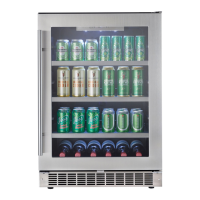
Danby Silhouette DBC514BLS
24 pages
Print Icon
To Next Page IconTo Next Page
Loading...
OWNER’S MANUAL
GUIDE DU PROPRIÉTAIRE
CAUTION:
Read and Follow All Safety Rules and
Operating Instructions Before First
Use of This Product.
ATTENTION :
Avant de faire fonctionner cette
machine, lisez et suivez toutes les
consignes de sécurité de ce guide en
premier lieu.
Table of Contents . . . . . . . . . . . . . . . . . . . . 1
Table des matières . . . . . . . . . . . . . . . . . . . 13
Danby Products Limited, Guelph, Ontario Canada N1H 6Z9
Danby Products Inc., Findlay, Ohio USA 45840
Version 1.01.06
DBC514BLS
R

Other manuals for Danby Silhouette DBC514BLS

Questions and Answers

  • P
    Peter GibsonJul 31, 2025
    Why is my Danby Silhouette DBC514BLS not cold enough?
    • D
      dustinriceJul 31, 2025
      If your Danby Refrigerator isn't cooling properly, several factors could be the cause. Ensure the door is properly closed and not opened too often. Check the exhaust vent for any obstructions. If you've recently added a large amount of warm food, give the refrigerator time to cool down. Also, make sure the appliance is not near a heat source or in direct sunlight. High ambient temperature or humidity can also affect cooling. If these steps don't resolve the issue, it could indicate a system leak, evaporator fan failure, or compressor failure, in which case you should contact a service technician.
  • L
    Luis DaughertyAug 8, 2025
    What to do if my Danby Silhouette DBC514BLS Refrigerator has no power?
    • R
      Rachel HuntAug 8, 2025
      If your Danby Refrigerator has no power, check the fuse or circuit breaker. Also, make sure the refrigerator plug is fully inserted into the wall outlet.
  • C
    Christine ZavalaAug 18, 2025
    How to stop condensation on my Danby Silhouette DBC514BLS Refrigerator?
    • J
      Jennifer VasquezAug 18, 2025
      Condensation on your Danby Refrigerator can occur if the door isn't properly shut or is opened too frequently. High ambient temperature or humidity can also cause condensation, so consider the current ambient conditions.

Summary

Important Safety Information

Safety Precautions

General safety guidelines to follow before operating the appliance.

Grounding Instructions

Proper Outlet Connection

Connecting the appliance to a properly installed and grounded outlet.

Prohibited Accessories

Avoiding the use of adapter plugs, extension cords, or modifying the power cord.

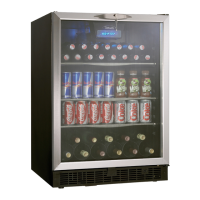
Features of Your Beverage Centre

Tempered Glass Door

Tinted glass door for UV protection and interior viewing.

Electronic Display and Controls

Interface for viewing and regulating the beverage center's temperature.

Magnetic Door Gaskets

Seals that retain cooling power and humidity levels.

Stainless Steel Trim Shelves

Shelves with stainless steel trim for storage.

Child Proof Lock with Key

Security feature for preventing unauthorized access.

Front Mounted Exhaust

Exhaust vent for integrated or built-in applications.

Leveling Legs

Adjustable legs for ensuring the appliance is level.

Interior Light

Illuminates the compartment when the door is opened.

Interior Light Toggle Switch

Manual control for interior lights when the door is closed.

Wine Rack

Rack designed for storing up to eleven bottles of wine.

The Controls of Your Beverage Center

Run Indicator

Light indicating the cooling mode is currently active.

Set Temperature Display

Screen showing the target temperature setting.

Cabinet Temperature Display

Screen showing the current internal cabinet temperature.

Temperature Scale Indicator

Light denoting Celsius (°C) or Fahrenheit (°F) scale.

Temperature Adjustment Buttons

UP and DOWN buttons to raise or lower temperature settings.

Setting the Temperature

Initial Temperature Settings

Default temperatures set upon first use and how to change the scale.

Adjustable Temperature Range

The operational range for setting temperatures in 1° increments.

Power Interruption Behavior

How settings are affected by power failures or interruptions.

Wine Storage

Maximum Bottle Capacity

The rack's capacity for 750ml wine bottles, including optimal placement.

Shelf Instructions

Shelf Removal and Installation

Procedure for removing and re-installing the glass shelves.

Air Circulation Warning

Caution against blocking air circulation with materials on shelves.

Installation Instructions - Integrated Application

Tools Required for Installation

List of necessary tools for performing installation procedures.

Enclosure Preparation

Guidelines for preparing the cabinet opening and surrounding area.

Electrical Requirements

Specifications for the electrical outlet and circuit protection.

Care and Cleaning

Helpful Hints for Cleaning

Tips for airing and drying the interior after cleaning.

Cleaning Interior Surfaces

Instructions for cleaning walls, floor, window, and shelves.

Cleaning Exterior Surfaces

Guidance for cleaning the outer case, door surface, and control panel.

Trouble Shooting

No Power Issues

Troubleshooting steps for when the appliance has no power.

Cabinet Temperature Issues

Resolving problems with the cabinet temperature being too high.

Condensation Issues

Addressing condensation on the cabinet and/or doors.

Limited Product Warranty

Terms of Warranty

Details on warranty coverage duration for parts and labor.

Exclusions from Warranty

Conditions and circumstances not covered by the warranty.

General Warranty Provisions

Common provisions and exclusions that void the warranty.

Danby Silhouette DBC514BLS Specifications

General IconGeneral
BrandDanby
ModelDBC514BLS
Product LineSilhouette
CategoryRefrigerator
TypeCompact Refrigerator
InstallationFreestanding
Defrost TypeAutomatic
Number of Shelves3
RefrigerantR600a
Reversible DoorYes
Adjustable ThermostatYes
Interior LightYes
Removable Glass ShelfYes
ColorBlack
FinishStainless Steel
Voltage115 V
Energy Star CertifiedYes
LockNo
Temperature Range32°F to 50°F

Related product manuals