Need help?
Do you have a question about the Danita 3000 Multi and is the answer not in the manual?
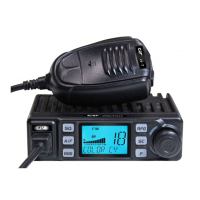
Connects the microphone to the CB radio.
Turns the radio on and adjusts audio volume.
Eliminates unwanted background noise.
Rotates to select the desired radio channel.
Shows active functions and signal strength.
Initiates automatic channel scanning.
Selects emergency channels or dual watch mode.
Allows quick channel stepping up or down.
Selects modulation mode or last called channel.
Connects the microphone to the CB radio.
Turns the radio on and adjusts audio volume.
Eliminates unwanted background noise.
Rotates to select the desired radio channel.
Shows active functions and signal strength.
Initiates automatic channel scanning.
Selects emergency channels or dual watch mode.
Allows quick channel stepping up or down.
Selects modulation mode or last called channel.
Details on microphone buttons and wiring.
UHF/PL connector for CB band antenna.
Jack for connecting an external S-meter.
3.5mm jack for external loudspeaker or headset.
Power input connector for 12-15 Volt DC.
Lists specifications and LCD codes for country settings.

 To Next Page
 General