10
Set Up and Operation
Before plugging the unit in, always make sure that the power supply matches the product specification
voltage. Do not attempt to operate a 115V specification product on 230V power, or vice versa.
Connection Cables
Take care of your cables, always holding them by the connectors and avoiding knots and twists when
coiling them: This gives the advantage of increasing their life and reliability. Periodically check your
cables. A great number of problems (faulty contacts, ground hum, discharges, etc.) are caused entirely
by using unsuitable or faulty cables.
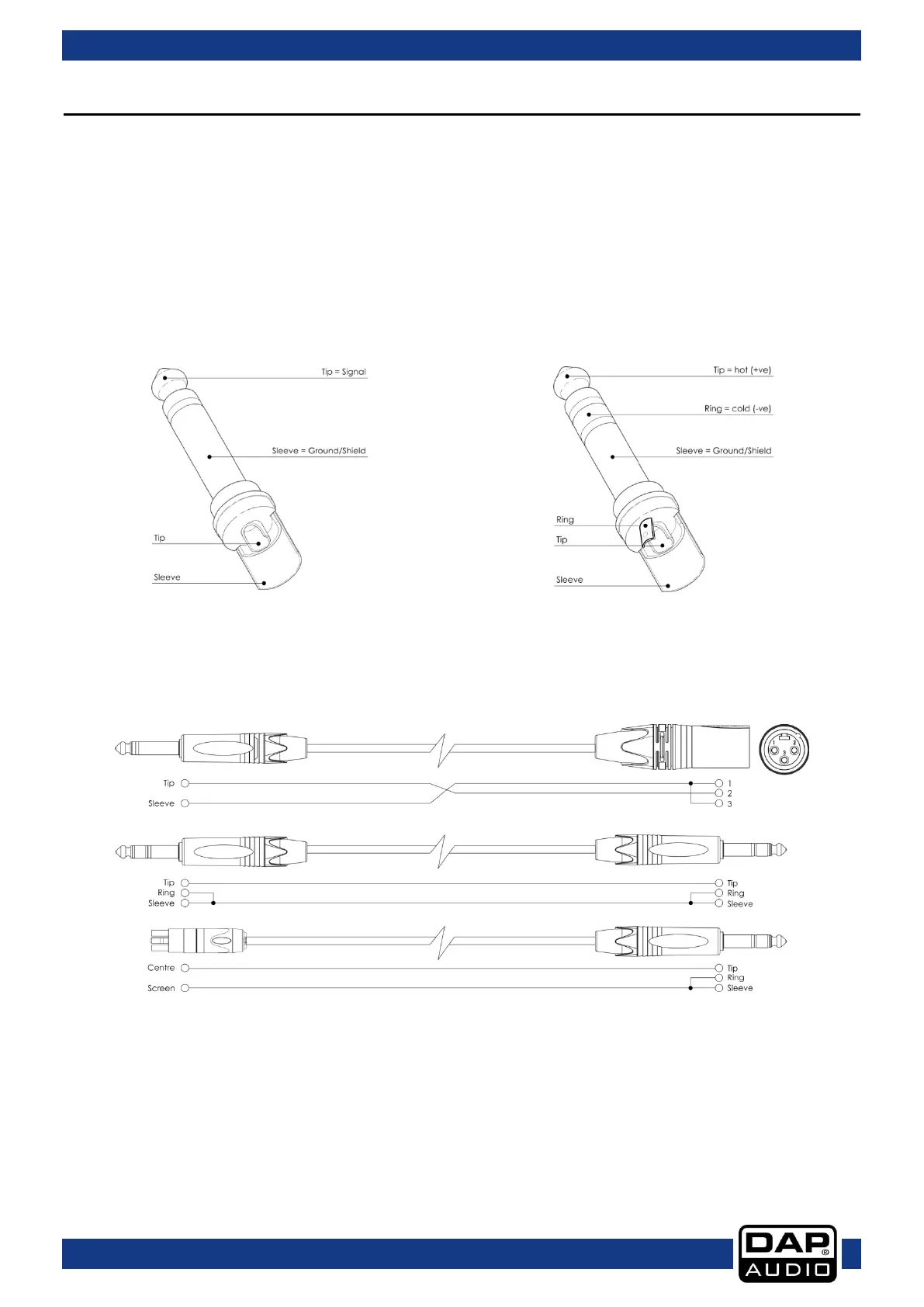
For these applications the unit provides 1/4" TRS and XLR connectors to easily interface with most
professional audio devices. Follow the configuration examples below for your particular connection.



 To Next Page