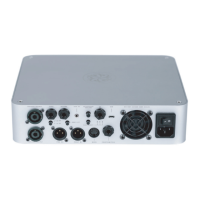
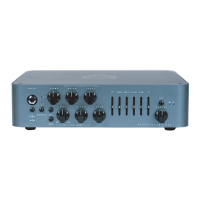
GROUND LIFT : Use this control to lift the ground of the
DI XLR output. If you are experiencing ground noise in
your DI signal try changing the setting of this control.
DI OUTPUT: Use this connector to send your signal to
the console, mic preamp, interface, etc. Both signals
are available (Bypass and the amp signal with cabinet
simulation) and are switched from the cab select
switch.
USB: The USB connector allows you to use the
Darkglass Suite to load different cabinet impulses or
change different parameters on your amp.
HEADPHONE OUTPUT: Connect your Headphones and
enjoy the impulse based cabinet emulation.
AUX IN: Use this connector to provide to the
Headphone output music from your laptop, cellphone,
mp3 player, etc.
CABINET SELECT: Use this switch to navigate between
the 3 different cabinet impulses or the clean DI signal.
FOOTSWITCH : The Intelligent Footswitch is
proprietary digitally controlled device that allows you
to remotely engage and disengage the Microtubes
Engine. You can also hold the footswitch to Mute the
amplifier. The VMT/B3K® push button will remain
operational with the Intelligent Footswitch plugged in.
· You can use a regular mono instrument cable to
connect the amplifier to the footswitch.
· You must remove the cable from the footswitch jack
in the rear panel if you want to control the amp from
the front panel.
AC SOCKET : Use this connector to feed electric power
to the amplifier. 100 - 230 VAC, 50Hz-60.
AC POWER ON/OFF : Use this Switch to release the
audio energy from your bass.


 To Next Page