

EasyManua.ls Logo

DARTWOOD Wireless-N WiFi Extender - User Manual

DARTWOOD Wireless-N WiFi Extender
15 pages
Print Icon
To Next Page IconTo Next Page
Loading...
Wireless-N WiFi Extender
User Manual
Question and Answer IconNeed help?

Do you have a question about the DARTWOOD Wireless-N WiFi Extender and is the answer not in the manual?

Summary

In the Box

Introduction to Parts

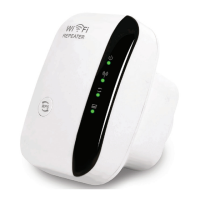
Device Components Overview

Details the power, WLAN, WPS indicators, WPS button, LAN port, and reset button.

Preparation

Installation

Initial Power Setup

Plug in the extender near the router and wait for the power indicator to turn solid green.
Connect to Extender Network

Access Login Interface

Configure Repeater Mode

Select Existing WiFi Network

Enter Network Credentials

Setup Completion and Reboot

Relocate Device

Factory Reset

Connect via LAN Cable

Connect via WPS Button

Troubleshooting

Specifications

Get More Support

DARTWOOD Wireless-N WiFi Extender Specifications

General IconGeneral
BrandDARTWOOD
ModelWireless-N WiFi Extender
CategoryExtender
LanguageEnglish