Installation:Installation:
WARNING:WARNING: before installing the DASbefore installing the DAS
®®
tuner verify that the system of the car MUST be professional and nottuner verify that the system of the car MUST be professional and not
Business. With Business system the TV tuner does not work.Business. With Business system the TV tuner does not work.
To unlock the system use an interface or contact directly an official BMW center.To unlock the system use an interface or contact directly an official BMW center.
1. To install the DASDAS
®®
receiver, refer to the specific user manual;
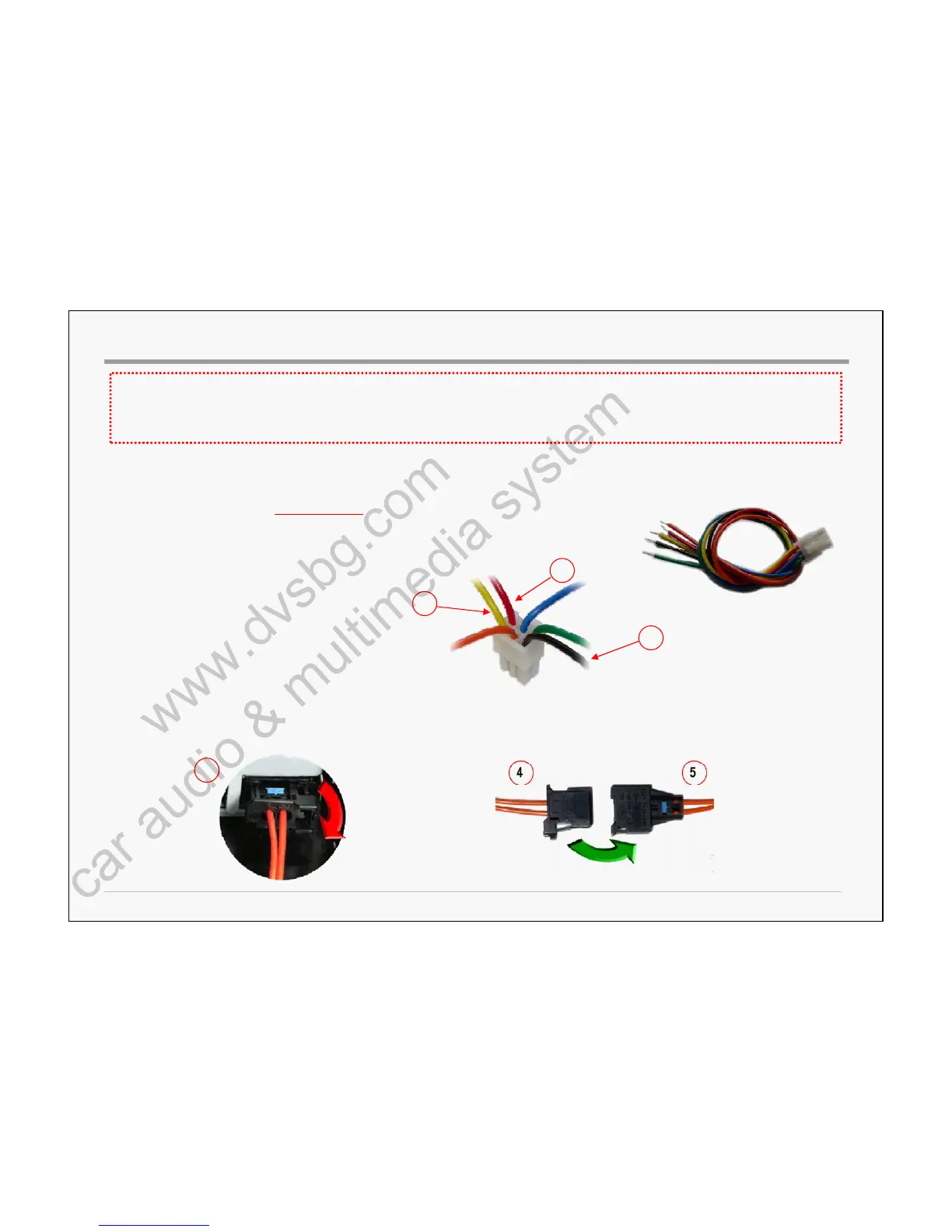
Pay attention on the connection of the power supply cablePay attention on the connection of the power supply cable::
- RED wire (fig.3) must beRED wire (fig.3) must be DISCONNECTEDDISCONNECTED..
The switch (ON/OFF) of the receiver will be controlled by the FiberThe switch (ON/OFF) of the receiver will be controlled by the Fiber--Optic activityOptic activity
- YELLOW wire (fig.1)(fig.1) must be connected to the +12V permanent/battery
- BLACK wire (fig.2)(fig.2) must be connected to the GND.
Power supply cable
11
33
Multiconn SrlMulticonn Srl
2
BMWBMW –– CIC systemCIC system
22
2. Disconnect the original Fiber Optical cable (fig.4)(fig.4) from one of the original multimedia accessories inside the car (DVD, GPS, Amplifier, etc…)
and match it directly to DASDAS
®®
fiber optic female connector of the harness on equipment (fig.5)(fig.5).
44
44 55



 To Next Page