2. Press LEARN, the door will begin the opening maneuver. If the limit switches
have been selected, it will stop at the opening limit switch and you will give
the command at the end of the maneuver (press LEARN)
3.Once the opening maneuver finishes, control board waits for an order to
start closing maneuver. If activated within 5 seconds, manual mode will be
activated; if activated after 5 seconds, automatic closing mode will be set
up and the time elapsed from the end of opening to the start of the closing
maneuver will be programmed as stand-by time.
*In case photobeam is DISABLED (DIP 4 ON): Automatic closure is not
available at programming maneuver option from the menu (due to
security reasons).
*In case photobeam is ENABLED (DIP 4 ON) but not installed by the user:
The control board will block itself and no closure maneuver will be allowed,
showing to the user there is a mistake and its programming.
4.The door will only stop by pressing the limit switches when these are installed.
Then, 1 beep will indicate the end of the closing maneuver and the exit from
the timing programming.
Repeat the procedure if you need to modify the programming.
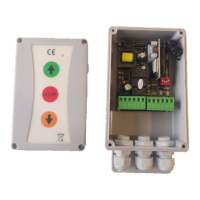
Attention: O/S/C button activates function OPEN/STOP/CLOSE.


 To Next Page
 Loading...