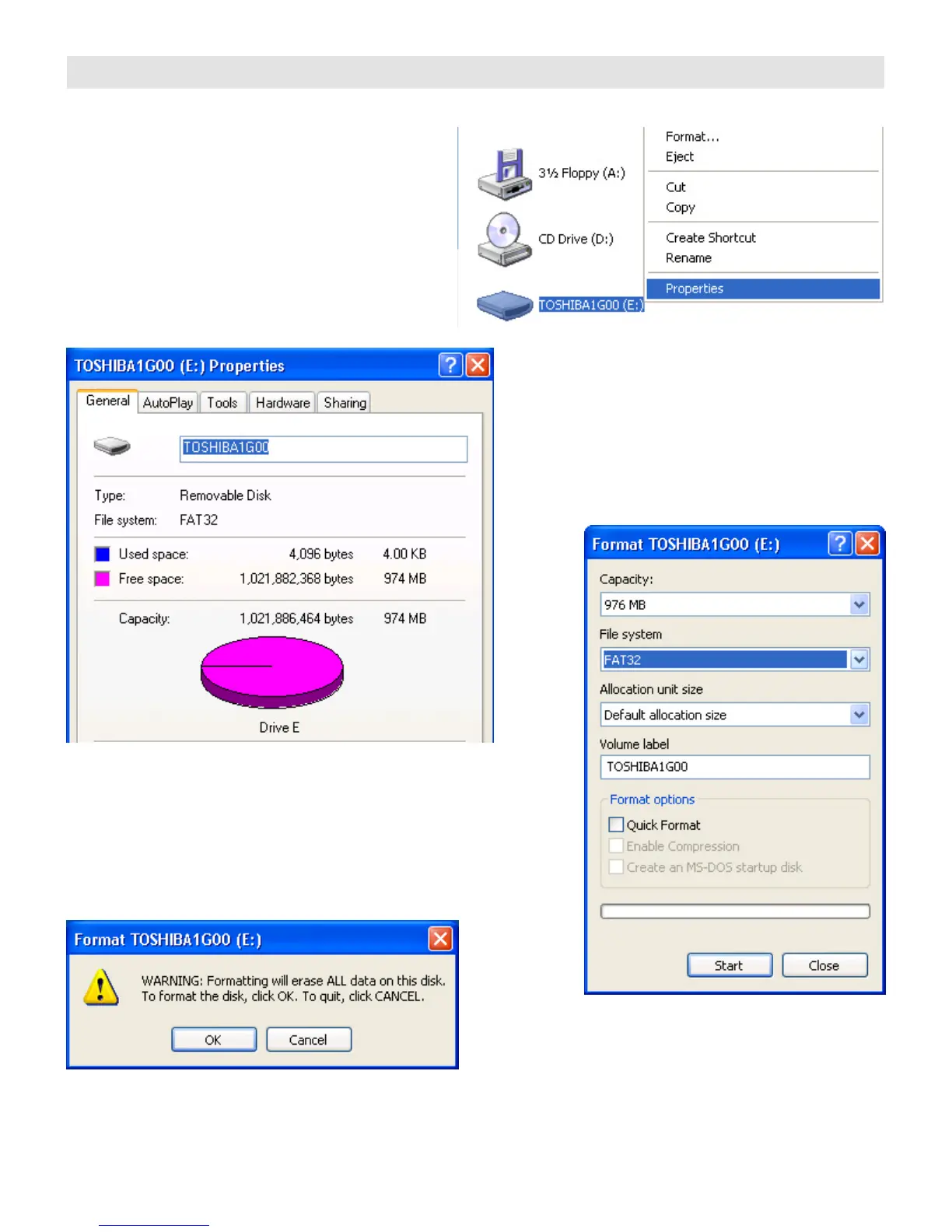
CHECKING THE COMPACT FLASH CARD FORMAT
Before using your Compact Flash card, check the
file system. It will either be FAT or FAT32.
Plug in your USB Compact Flash reader/writer.
After a few moments, the computer should
indicate that the flash card is ready.
Click My Computer
Right click on the Compact Flash drive letter
Then click on Properties
The File system should be FAT32
If it isn’t, then re-format the Compact Flash card.
Click My Computer
Right click on the Compact Flash drive letter
Then click on Format
Select the FAT32 File system then click Start
When the WARNING message appears …
Click OK


 To Next Page