3-3
Part No. 001-4008-101/102
1
(Unless you set a lower value). Note that readings less than 5 watts may be due to losses in the cables used for testing. Check
your wattmeter frequency calibration curve.
2
If a psophometrically weighted filter is available on the service monitor, use 0.35
µV
.
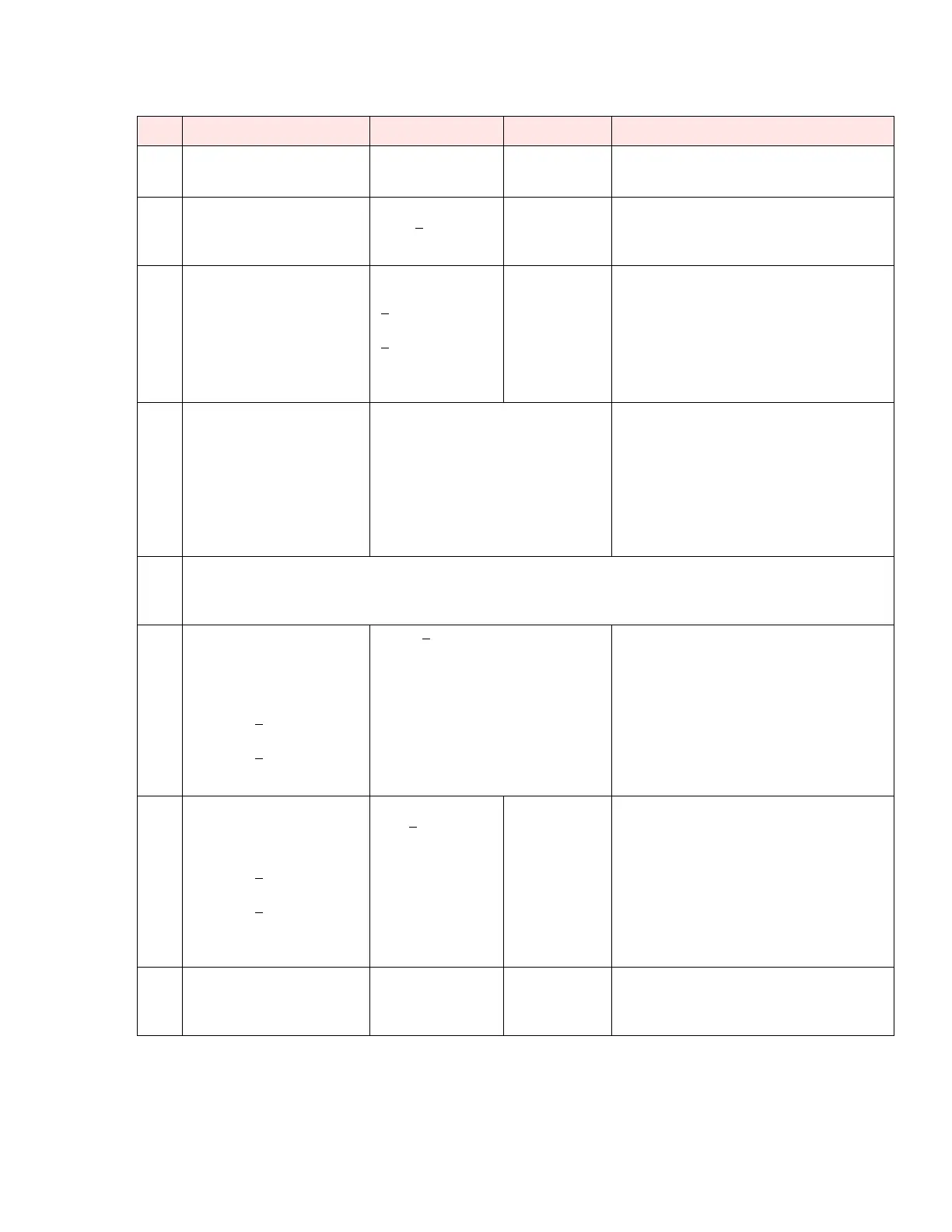
Table 3-1 Tests and Adjustments for One-quarter, Half, and Full Channel Units
Step Action Expected Results Measure With If Not?
1 Output Power
5 W
1
+ 10%, -20%
Service
monitor set to
read power
Adjust using the Field Programming Software
Power Out setting (255 is the maximum) or refer
to Factory Tech support
2 Frequency Error
Press TX Unmod
Within +
300 Hz
Service moni-
t o r s e t t o r e ad
frequency
Adjust using the Field Programming Software
Freq Warp setting. (Typical adjustment range is
1.5kHz) If found outside limits, call factory
technical support.
3 Deviation
Press TX tone
For any bit rate speeds
selected
Tol. +5%, -10%
For Full channel:
+
4.0 kHz
For Half channel:
+
2.5 kHz
For One-quarter
channel:
Service monitor
set to read devia-
tion with mid(15-
30 kHz) IF filter
Adjust using the Field Programming Software
Deviation setting (if required)
4 Carrier Sense
Inject a non-modulated
carrier at -120 dBm to the
Integra-TR RF input;
Raise the service monitor RF
output until the CS LED
comes on
The CS LED should be off
The CS LED should come on within 2
dB from the value set by the Field Pro-
gramming Software:
Default: approx. -105 dBm
(-110 in non-refarmed mode)
The threshold may be raised to prevent false
CS operation in the presence of noise,
intermodulation, or other sources of radio
interference (e.g., for ambient noise at -100
dBm (measured with a spectrum analyzer),
set the CS threshold for -95 dBm)
5 Set the service monitor to generate a -80 dBm signal on the selected receive frequency. The signal
should be modulated with a 1.0 kHz tone at deviation specified below.
Set service monitor IF filter to mid (15-30 kHz), no audio filter.
Note: Use test audio (pin 4) of the power/analog connector (white lead) for SINAD and distortion
6 Demodulated Audio
Press CHK
For any bit rate speeds
selected:
For Full channel unit: set
deviation to +
4 kHz
For Half channel unit: set
deviation to +
2.5 kHz
For Quarter channel unit:
1 Vpp +
0.1
If read at Test audio pin 4 of PWR
analog connector
Adjust using RXA adjust setting (if required)
7 12 dB SINAD
Set service monitor IF filter to
mid (15-30 kHz)
For Full channel unit: set
deviation to +
3 kHz
For Half channel unit: set
deviation to +
1.5 kHz
For Quarter channel
unit:
<
0.5 µV
2
Service monitor
set for SINAD
Refer to Factory Technical Support
8 Distortion
Set service monitor IF filter to
mid (15-30 kHz) Deviation
level as per SINAD above
< 3%
Service monitor
set for
DISTORTION
Refer to Factory Technical Support


 To Next Page
 Loading...