Need help?
Do you have a question about the Dataradio Integra-TR and is the answer not in the manual?
Defines the document's purpose and target audience for system designers, installers, and technicians.
Provides a high-level overview of the Integra-TR wireless modem's functionality and applications.
Lists the key technical features and capabilities of the Integra-TR wireless modem.
Details available accessories, optional components, and their part numbers for the Integra-TR.
Describes the Factory Mutual NI Kit, its approval for hazardous locations, and installation requirements.
Presents CE marking information, including important notices and warnings for restricted use in EU/EFTA states.
Lists detailed technical specifications for the Integra-TR unit, covering general, receiver, and transmitter parameters.
Details product conformity with EU R&TTE Directive 1999/5/EC and assessment procedures.
Lists manufacturer, brand, model, and intended use of the equipment for certification purposes.
Refers to the technical documentation compiled for product certification and assessment.
Lists EU and EFTA countries where the product is approved for use, subject to licensing.
Specifies the essential radio test suites and standards that the Integra-TR product conforms to.
Refers to the Quality Assurance Manual detailing manufacturing processes and R&TTE directive compliance.
Outlines the chapter's focus on the features, operation, and connections of the Integra-TR.
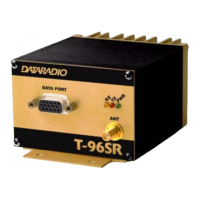
Details the elements and indicators found on the front panel of the Integra-TR unit, such as LEDs and connectors.
Describes the type (SMA female) and characteristics of the antenna connector, noting potential issues with direct connection.
Explains how to connect Data Terminal Equipment (DTE) to the Integra-TR using a standard straight cable.
Explains the function and color states of the four two-color LED indicators on the unit.
Details the COM port specifications, including supported baud rates, data bits, parity, and signal functions.
Provides the pinout diagram for the DE-9 connectors used for the COM and Setup ports.
Describes the Setup port, its connector type, and its use for configuration and diagnostics via proprietary software.
Details the components and connectors located on the rear panel, including the heat sink and power connector.
Outlines the power requirements: 13.3 VDC nominal, 3.0 A rating, with warnings about voltage limits.
Shows the pinout for the 4-pin power and analog connector, detailing power and analog input connections.
Introduces the software used for configuring, programming, and diagnosing the Integra-TR wireless modem.
Explains how to configure the PC's COM ports (Primary/Secondary) within the Field Programming Software.
Details the various communication modes (e.g., Sync/ESC, Buffered, RTS/CTS) for the PC COM ports.
Describes how to view real-time port statistics (RTS, DTR, CTS, DSR) within the programming software.
Introduces the screen for configuring modem and radio operating parameters via the Field Programming Software.
Details configurable modem parameters like Short ID, Comment, Compatibility, Data Delivery, and Sleep Mode.
Explains how to configure COM port and external analog input/output parameters, including Tx Control and Suspend Mode.
Details configurable radio parameters such as Range, Channel, Transceiver Type, Carrier Sense, Tx Timeout, and Power.
Describes how to perform a software reset of the Integra-TR unit to reinitialize its operation.
Explains how to retrieve hardware and firmware version information using the Field Programming Software.
Details how to program a unique Short ID and descriptive comment for each unit in a network.
Describes the process of cloning programmable parameters to quickly configure multiple Integra-TR units.
Explains how to save parameter settings to a file and load them into the Integra-TR unit.
Details the procedure for testing the communication link status between two units by sending and receiving data blocks.
Explains how to request and interpret offline diagnostic data, including parameters like Unit ID, RSSI, and temperature.
Describes how to monitor real-time diagnostics transmitted by units during normal network operation.
Explains how to set up unit IDs for testing and configure alarm thresholds for online diagnostics.
Describes the User Test utility for checking unit diagnostics and parameters like RSSI, voltage, and temperature.
Explains how to use ASCII and Hexadecimal terminal screens for direct data communication with the unit.
Details how to update the Integra-TR's firmware using the programming software's 'Program Code' function.
Explains how to access the integrated help files for the Integra-TR programming software.
Provides practical tips for optimizing system performance, including protocol selection and baud rate settings.
Outlines the chapter's scope, covering initial installation, annual maintenance, and performance checks.
Lists the necessary equipment and tools for performing maintenance and adjustments, such as a service monitor and PC.
Identifies a specific test point on the unit for troubleshooting, related to demodulated signal measurement.
Lists the fundamental tests to be performed, including transmitter power, frequency, deviation, and diagnostics.
Details the preparatory steps required before conducting tests and adjustments, including equipment calibration.
Describes the final steps to save adjustments permanently and reset the unit to apply changes.
Provides an overview of troubleshooting techniques for network communication issues using the Field Programming Software.
Introduces the two primary diagnostic tools: Online and Offline diagnostics, for monitoring and troubleshooting.
Explains how to use online diagnostics to monitor network activity and unit status without interrupting data transmissions.
Describes the use of offline diagnostics for intrusive troubleshooting, requiring network operation to be suspended.
Details the function for gathering immediate diagnostics and checking them against defined tolerances for troubleshooting.
Explains how to test network data link status by sending and receiving data blocks to evaluate link quality.
Describes the Received Signal Strength Indicator (RSSI) bar graph and its use in monitoring signal levels during tests.
Details how to send an unmodulated carrier signal for checking frequency, RF power, and received signal strength.
Explains how to use the TX Tone function to send a modulated carrier for checking transmit deviation.
Introduces the key parameters configurable via the Field Programming Software for customizing Integra-TR unit settings.
Outlines the chapter's focus on describing the circuit operation of the Integra-TR logic board.
Provides an overview of the Integra-TR logic board's circuit architecture and key components.
Details the microprocessor circuitry, including IPCs, memory, clock generator, and peripheral controllers.
Explains the RS232 interface IC, its role in connecting ports to the CPU, and sleep mode behavior.
Describes the CPLD modem IC, its data rate capabilities, filtering, and encoding methods used.
Details the path of digital data from the RS-232 port through the CPU, modem, and radio module.
Explains the function of the Analog-to-Digital converter and digital potentiometers for signal processing and adjustment.
Describes the circuit responsible for waking the unit from sleep mode and the associated timing and CPU interaction.
Details the unit's DC power input protection, including fuses and diodes, and voltage regulators used.
 General
| Frequency Bands | VHF, UHF |
|---|---|
| Operating Voltage | 12 VDC |
| Operating Temperature | -30°C to +60°C |
| Channel Spacing | 12.5 kHz, 25 kHz |
| Interface | RS-232 |
| Modes | Simplex, Half-Duplex |
| Frequency Range | 136-174 MHz (VHF), 403-470 MHz (UHF) |
| Modulation | 4FSK |
| Power Supply | External DC power supply |


 To Next Page