If the browser was disconnected for any reason, you can reconnect by pressing the Connect button on the task bar.
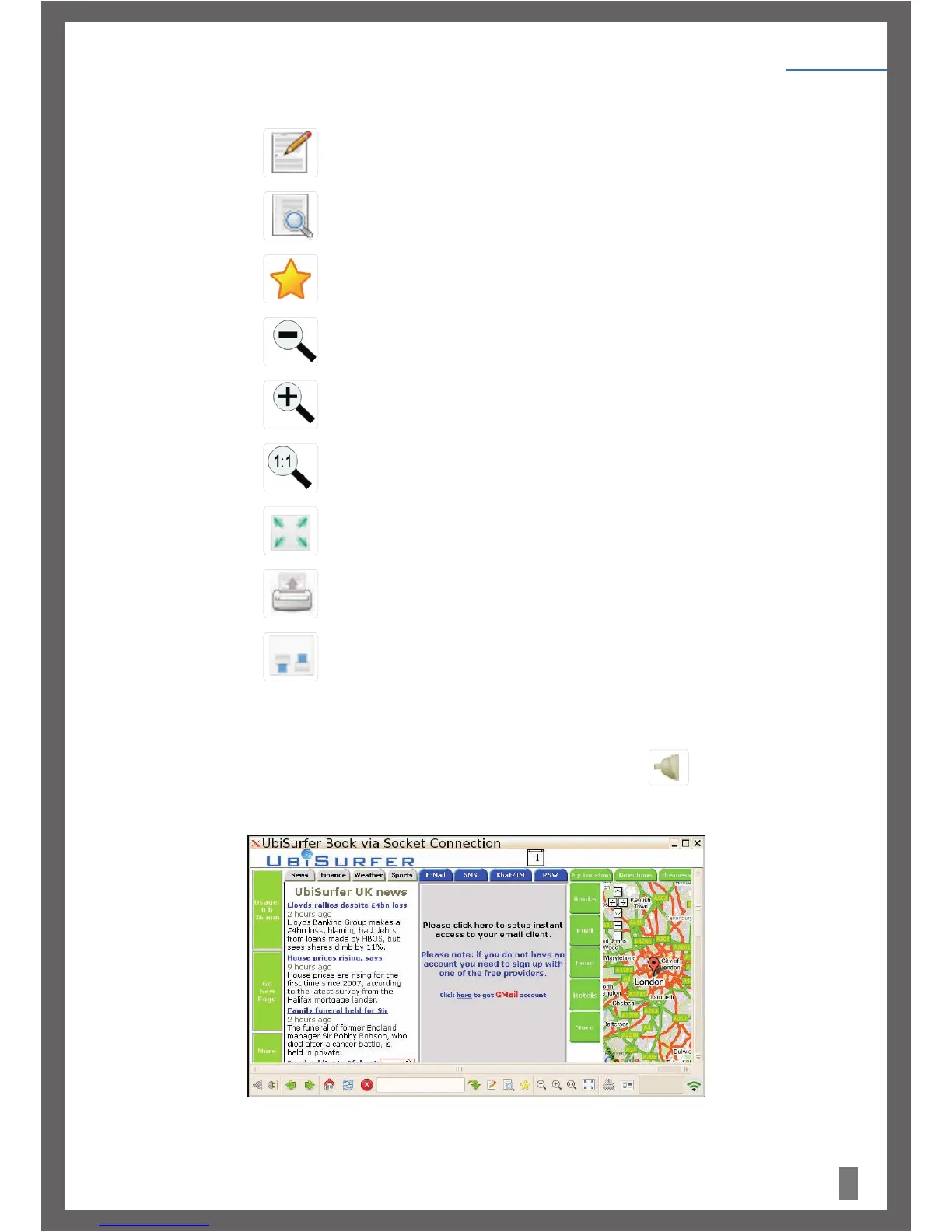
After a few seconds, the UbiSurfer home page will appear as seen in Figure 3.
Figure 3.
j) Enter Text: Click here to enter text from the address bar into the text box on the screen which
has the cursor in it.
k) Search: Click here to search the web for any text you may have entered into the address bar.
l) Favorites: Click here to add your current website to, or to access your favorites.
m) Zoom Out: Click here to Zoom In on the web page or to decrease the visual size of the web page.
n) Zoom In: Click here to zoom in on the web page or increase the visual size of the web page.
o) Original Size: Click here to zoom to the original size of the web page.
p) Full Screen: Click here to fill the whole screen with the web page (F9 performs this same function
and reverses it).
q) Print Screen: Click here to copy the contents of the current screen to the clip board.
r) Preferences: Click here to open the preference options.
9
Getting Started
Chapter 4


 To Next Page