To do this, lollow the instructions
Jrom Step 2 to access the TCP/IP Properties for
your
network adaptel
Return
the lP address, Subnet mask, Default
Gateway and Preferred and Alternate DSN details to their
original
settings. In most cases these would have
been
'Obtain
lP
address automatically'
and
'Obtain DNS
server address
automatically'.
6.
Connect
your
WiFi MAX Bridge to vour Xbox 360
Now that
you
have
configured
yout
WiFi MM Bridge with
your
wireless
netvvork settings
you
are ready to
connect
it
to
your
Xbox 360.
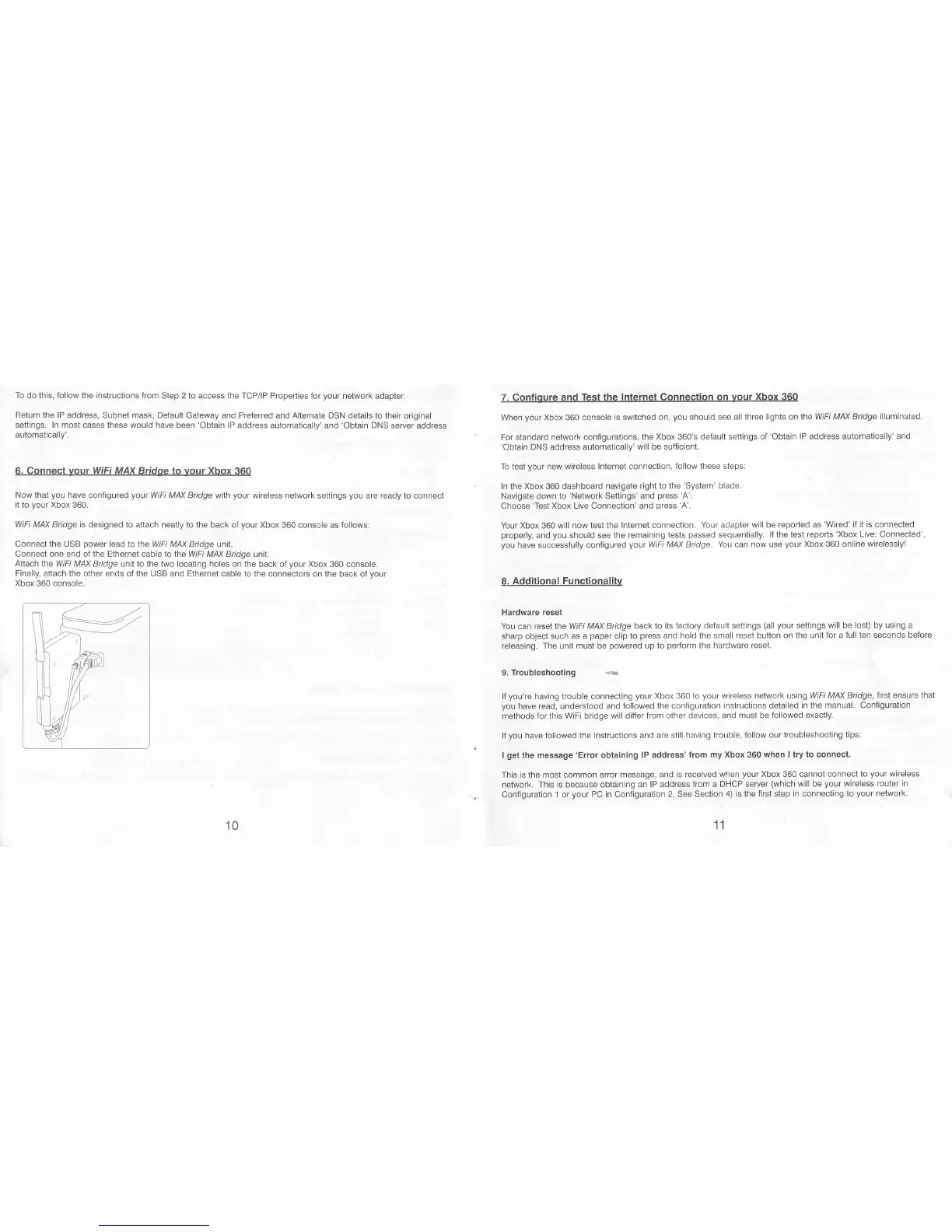
WiFi MAX Bridge is designed
to attach neatly to the back oJ
your
Xbox
360 console as follows;
Connect the USB
power
lead to the WiFi
MAX Bridge unit.
Connect
one
end
of the Ethernet cable to the WiFi M/\X Bridge
unit.
Attach
the
WiFi MM
Bridge unit to the two locating holes on
the back oI
your
Xbox 360 console.
Finally,
attach the other ends ot the USB and Ethernet cable
to the connectors on the back of
your
Xbox 360 console.
7. Confioure and
Test the lnternet
Connection on
your
Xbox 360
When
your
Xbox 360 console
is switched on,
you
should
see all three lights on the
WiFi M/tX Bridge
illuminated.
For standard
network conligurations,
the Xbox 360's default settings of'Obtain
lP address automalically'
and
'Obtain
DNS address
automatically'will be sufficient.
To test
your
new
wireless Internel connection,
follow these steps:
In the Xbox 360 dashboard navigate
right to the
'System'
blade.
Navigate down
to'Network Settings' and
press'A'.
Choose
'Test
Xbox
Live Connection' and
press
'A'.
Your Xbox
360
will now test the
Internet connection.
Your
adapter
will be repoded as
'Wired' if it is connected
properly,andyoushouldseetheremainingteslspassedsequentially. lfthetestreports'XboxLive:Connected',
you
have successfully configured
your
WIFI MAX Bridge.
You can now use
your
Xbox
360
online wirelessly'
8. Additional Functionalitv
Hardware
reset
You can reset the
WiFi MM Btidge back to
its Jactory default settings
(all your
settings will be
lost) by using a
sharp
object such as a
paper
clip
to
press
and
hold
the small
reset button on the
unit lor a tull ten seconds before
releasing. The unit must be
powered
up lo
pedorm
the
hardware reset.
9"
Troubleshooting
{u
lf
you're
having trouble connecting
your
Xbox 360 to
your
wireless network using
WiFi MM Bridge, lnst ensure
that
you
have read, understood and followed
the configuration
instructions detailed in the
manual. Configuration
methods for this
WiFi bridge will difier
from other devices, and must be
followed exactly.
lf
you
have followed the
instructions and are still having trouble,
follow our troubleshooting
tips:
I
get
the
message 'Error obtaining
lP address'from my Xbox 360
when I try to connect.
This is the most common
error message,
and is received when
your
Xbox 360 cannot connect
to
your
wireless
network. This is because
obtaining an lP address
from a DHCP seruer
(which
will be
your
wireless
router in
Configuration 1 or
your
PC in
ConJiguration
2,
See Section
4) is the first step
in connecling to
your
network.
11
10



 To Next Page
 Loading...