&:
$..
{}1
{tr
{}.,
&.,
WiFI
AAIDGE
'ilI
I
I
Configure
for
ADSL
/
DSL
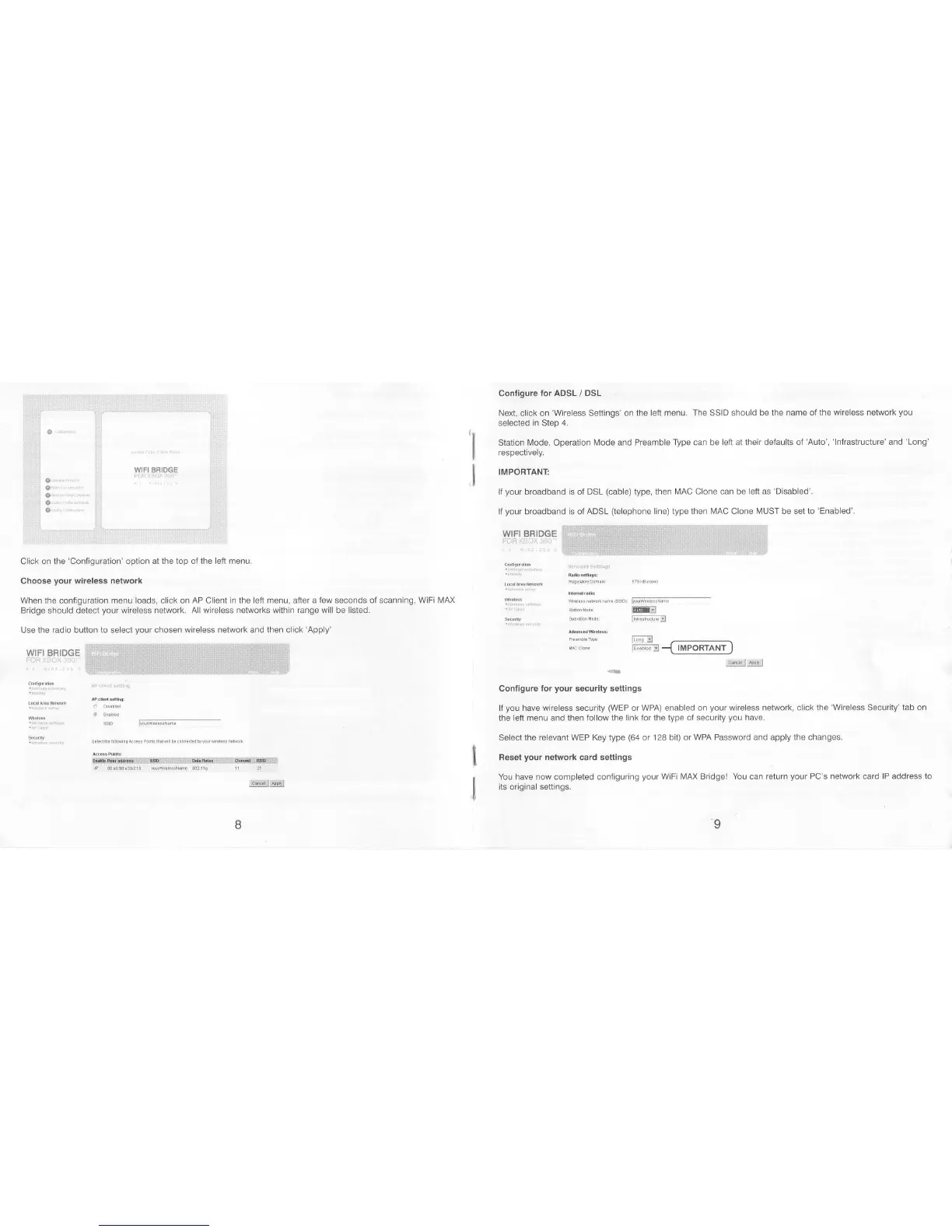
Ne)d, click on
'Wireless
Settings' on the left
menu. The
SSID
should be the name of the
wireless network
you
selected
in
Step
4.
Stalion N4ode, Operation [/ode and
Preamble Type can be left at their defaults of'Auto',
'lnfrastructure' and
'Long'
respectively.
IMPOBTANT:
lf
your
broadband is of
DSL
(cable)
type, then N,4AC Clone can be left as
'Disabled'.
If
your
broadband is ol ADSL
(telephone
line) type then MAC Clone |\4UST be set to
'Enabled'.
Click on the
'Configuration'
option
at the top ol the left menu.
Choose
your
wireless network
When
the configuration
menu loads, click on AP Client in the
left
menu, after a
few
seconds oI
scanning, WiFi IVIAX
Bridge should delect
your
wireless network. All wireless networks within range
will
be listed.
Use
the radio
button
to select
your
chosen wireless network and then click
'Apply'
wrFr BRTDGE
:'..""" ...: ,,'.
'
'
-j-
':".
'.' ,
.
-
:
. .:. .., . i'
...' :
-'"4--- - -
"-
:
*
-
:
" "
;'
..
..'
'..'".
.
"'", . .
WIFI
BgIDGE
w€ ss needk^ame
(ssro)
Fiil,l"m
-
tffi:]
m*---;l
G@.1
r;ffi:
-{_ll4!9rr4rrJ
,,'oq!!1il ri!t;i:rl
lil/iv-iffi,m
--
Configure
for
your
security settings
l{
you
have wireless security
(WEP
or WPA) enabled on
your
wireless network, click the
'Wireless
Security'lab
on
the
left menu
and
then follow the link for the type of
security
you
have.
Select the relevant WEP Key type
(64
ot
128 bit) or WPA Password and apply the
changes.
Reset
your
network card settings
You have now completed contiguring
your
WiFi MAX Bridge! You can return
your
PC's
network
card
lP address to
its
original settings.
ri8€fl*s.i!&&!iirli,!irsl{ilgir*llllli*i!!,i{.iiigi,l,ils|is8lilss4*qi
d 00e0.93t3b?10
trqli{gtlit&ttl
I
ti



 To Next Page
 Loading...