Change the lP address
used by
your
network card
Windows XP
(othet
vereions of Windows vary
slightly)
Click'Start', then'Control Panel',
then'Network Connections'.
Under'LAN ot High-Speed Internet',
you
should
see
your
computer's network
card listed
(probably
as 'Local
Area Connection'). Right-ciick it
and choose
'Properties'.
In lhe list of items
used by the connection, click
on
'lnternet
Protocol
(TCPilP)'
and then click'Properties'.
Your computer is likely to
be set
to
obtain its lP address and DNS
serudr address automatically. lf not,
then
write
down the lP address,
Subnet mask, Default
gateway
and Preferred
and Alternate DSN seruer's
details.
Now,
set
the
netvvork card to 'Use the following lP
address:' and enter the following
details:
lP
address: 192.168.1.251
uuonel masK: 255.255.255.u
(default gateway
is not
rcquhed)
The
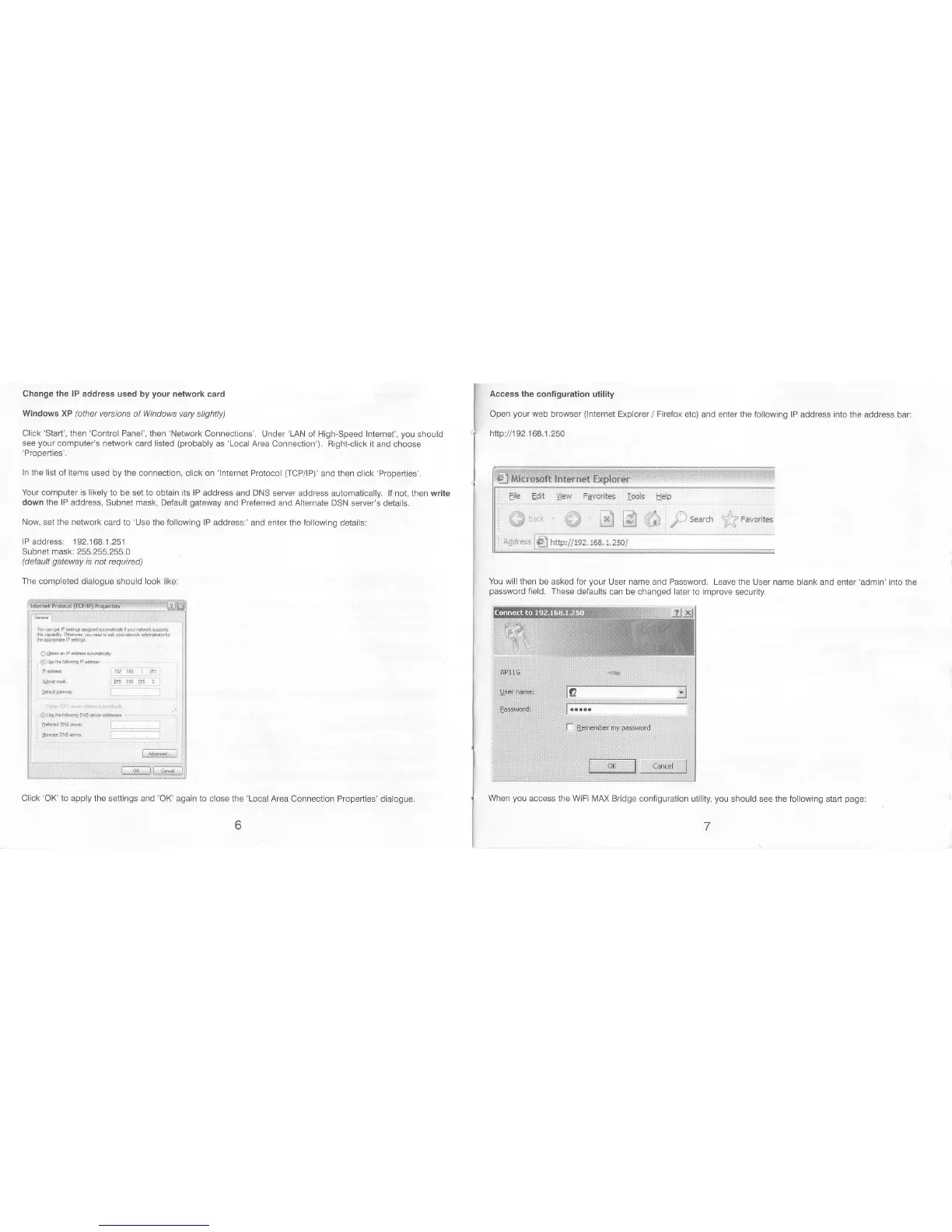
completed dialogue should look like:
hdSlt@@d.l@tnu|1ls#
rh'rs hE.pn.dF*tr'e&#ffib
0&n-p,&d6d4
Oqeseid@
Peu
lFafu l9r$
5
! :
'S-!d
,ft.4
E 0
iFad@.
i
^..'i
.',:
"-*"""1
*
'
ghtutbwas.gEtu:
......,.,..
Hdss.w
l--'-
""""'l
sl*oNffi l
.....-
m
Click
'OK' to
apply the settings and
'OK'
again to
close the
'Local
Area Connection Properties'
dialogue
When
you
access the WiFi MAX Bridge
configuration utility,
you
should see the following
start
page:
Access
the configuration utility
Open
your
web
browser
(lnternet
Explorer
/
Firefox etc)
and enter the following lP address into the address
bar:
http:i/1
92.1 68.1 .250
You will then
be asked for
your
User name and Password. Leave
the User name blank and enter'admin' into
the
password
field.
These defaults can be changed later
to improve security.
1 1.:l'1]1':1'l]i]@
ad&igs
il
&
he'
fl$r"
1Fs. r.zsBf



 To Next Page
 Loading...