3. System Reouirements
ln order to use WiFi MM Bridge,
you
need
the lollowing computer
and network set-up:
MINIMUM
SYSTEM REQUIREMENTS
Computer
/
Processor
)ersonal
computer with RJ45 compatible network
card
(NlC)
Operating
System
'Vindows
98. 2000. ME, XP Windows XP recommended
Internet
Connection \DSL or DSL
(cable)
Broadband
Wireless
102.1 1
B or 802.1 1G-compatible Wireless Access
Point
4. Existing
Network Set-Uo
For
successful operation,
please
lollow these installation
and configuration instructions
carefully.
You
can use WiFi MM Bridge
to connect
your
Xbox 360 to the Internet in
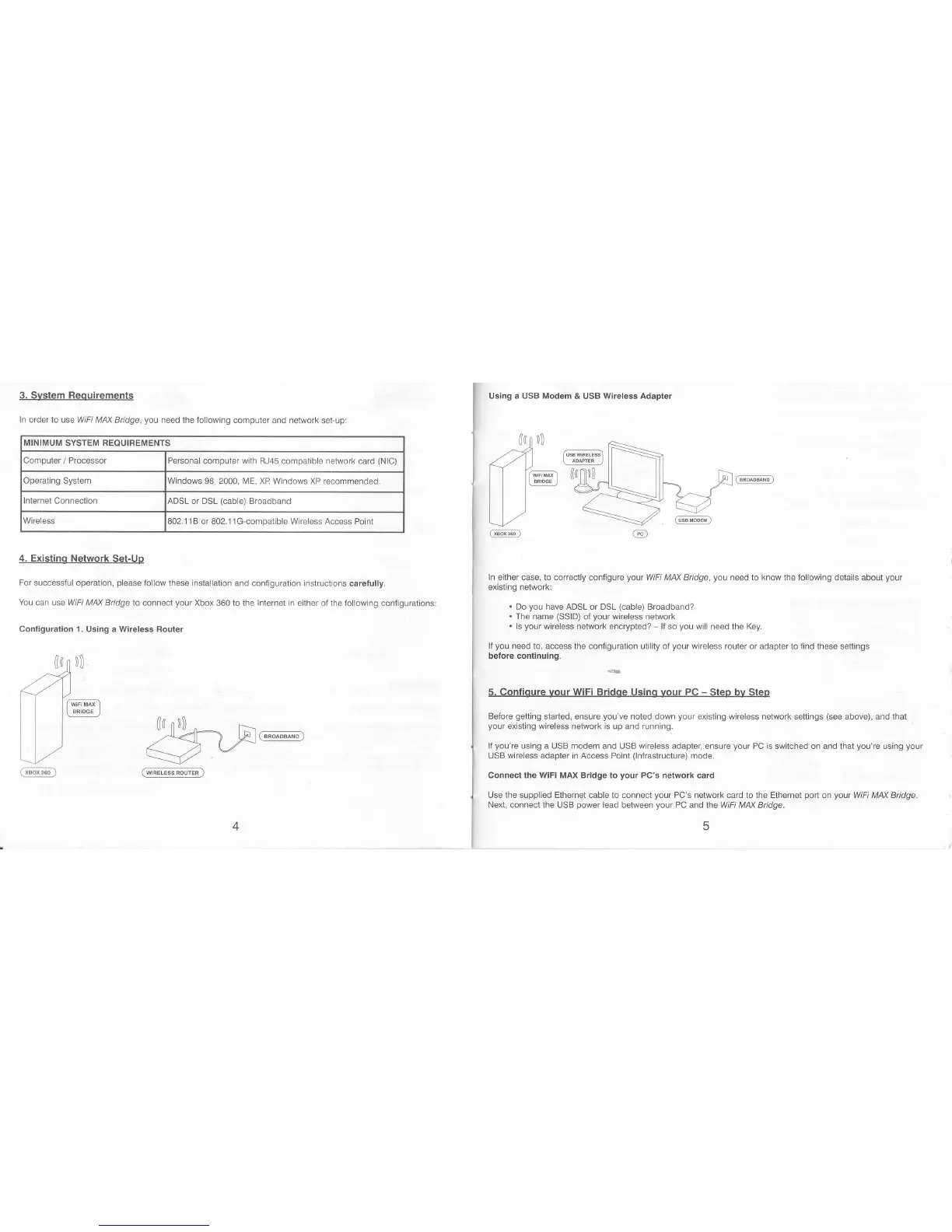
either of the following contigurationsl
Configuration 1. Using a Wireless Router
(aj
rl
<24
I f''w')
] BRIDG€ ]
ll-
1../
r,nq!@
@
Using a USB
Modem
& USB Wireless Adapter
),_=_
ln either case, to cotrectly
configute
yout
WiFi MAX Bridge,
you
need to know the following details about
your
existing network:
.
Do
you
have ADSL or DSL
(cable)
Broadband?
.
The name
(SSID)
of
your
wireless network
.
ls
your
wireless network encrypted?
-
ll so
you
will need the Key.
lJ
you
need to, access the
conliEuration utility oI
your
wireless
router or adapter to find these settings
before continuing.
5. Confiqure vour WiFi Bridge Using
your
PC
-
Step
bv
Steo
Before
getting
started, ensure
you've
noted down
your
existing wireless network settings
(see
above), and that
your
existing
wireless
network is up and running.
lf
you're
using a
USB
modem
and USB
wireless
adapter, ensure
your
PC is switched on and that
you're
using
your
USB wireless adapter in Access Point
(lnfrastructure)
mode.
connect
the wiFi
MAx Bridge to
your
Pc's network card
Use the supplied Ethernet cable to connect
your
PC's network
card to
the Ethernet
port
on
your
WiFi M/\X Bridge.
Next, connect the
USB
power
lead between
your
PC
and the WiFi MM Bridge.
@



 To Next Page
 Loading...