Operating
System
Microsoft Windows® 98 Second Edition (Windows®
XP recommended).
Memory 256Mb RAM
Install size: 10Mb.
Display 800x600 SVGA or higher, True Colour.
Drive CD-ROM drive (for installation).
1.3 Installation
Insert the CD-ROM titled ‘WiFi MAX PC SOFTWARE DISC’ into your PC CD-ROM
drive and wait a couple of seconds (if you have auto-run enabled) for the installation
to start. If you don’t have auto-run enabled, find the SETUP.EXE program on the CD
and run it.
Follow the on-screen prompts to install the drivers and software for the WiFi MAX
dongle on your PC.
1.4 Connecting Your WiFi MAX Dongle
Once you’ve completed the software installation, you can attach your WiFi MAX
dongle to your PC using any free USB port. The drivers for the dongle have already
been installed.
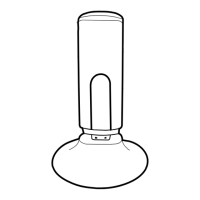
Your WiFi MAX dongle can either be connected directly to a USB port or connected
via the supplied docking station. The dongle is also the antenna for the wireless
connection, so positioning the dongle for best visibility using the docking station
might improve your connection range.
1.5 Configuring your Wireless Network Settings
In order to use your DS / Wii with your wireless network, most users need not modify
any of the settings in this section. The information is provided for your information,
should you need to modify the standard configuration.
Changing the name of your wireless network (SSID)
The default
name of your wireless network is ‘WIFI_DONGLE’ If you have more than
one wireless network within range, you may wish to change the name of your WiFi
MAX network.
Load the WiFi MAX software, and where WIFI_DONGLE is listed, change the name
to anything you like (use it when configuring your DS / Wii WiFi connection). After
making a change, click APPLY to write the changes to WiFi MAX and then click
AUTO SETUP to write the changes to the dongle.
Protecting your wireless network with WEP (Wireless Encryption Protocol)
By default, your wireless network is set up without any securit
y. This may mean other
people within range of your wireless network can use your Internet connection or
intercept your network access.


 To Next Page