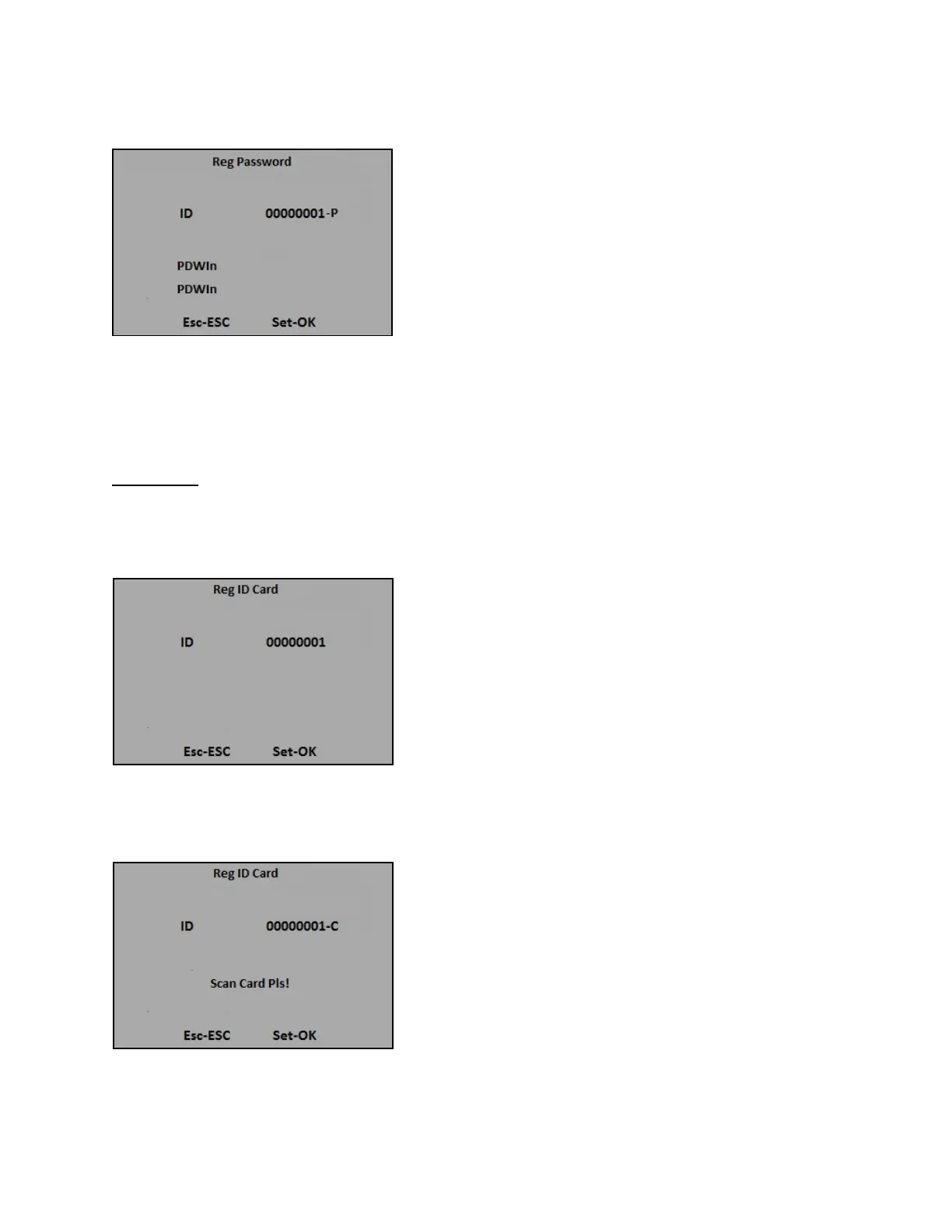
3) Input the password (up to 8 digits) then press [OK], the following message appears:
4) Input the password again then press [OK] to save the enrolled data, you may repeat the same
processes again for another enrollment.
3. ID Card
1) Select ID Card and press [OK] for new user enrollment, the following message will appear:
2) Input the Enroll No. (Range: 1 to 999999999) or simply press [OK] to use the first available Enroll No.
in the terminal, the following message appears:
13


 To Next Page