5.2 Record Detail
1) Press
[M] and select “ViewInfo”, Press [OK].
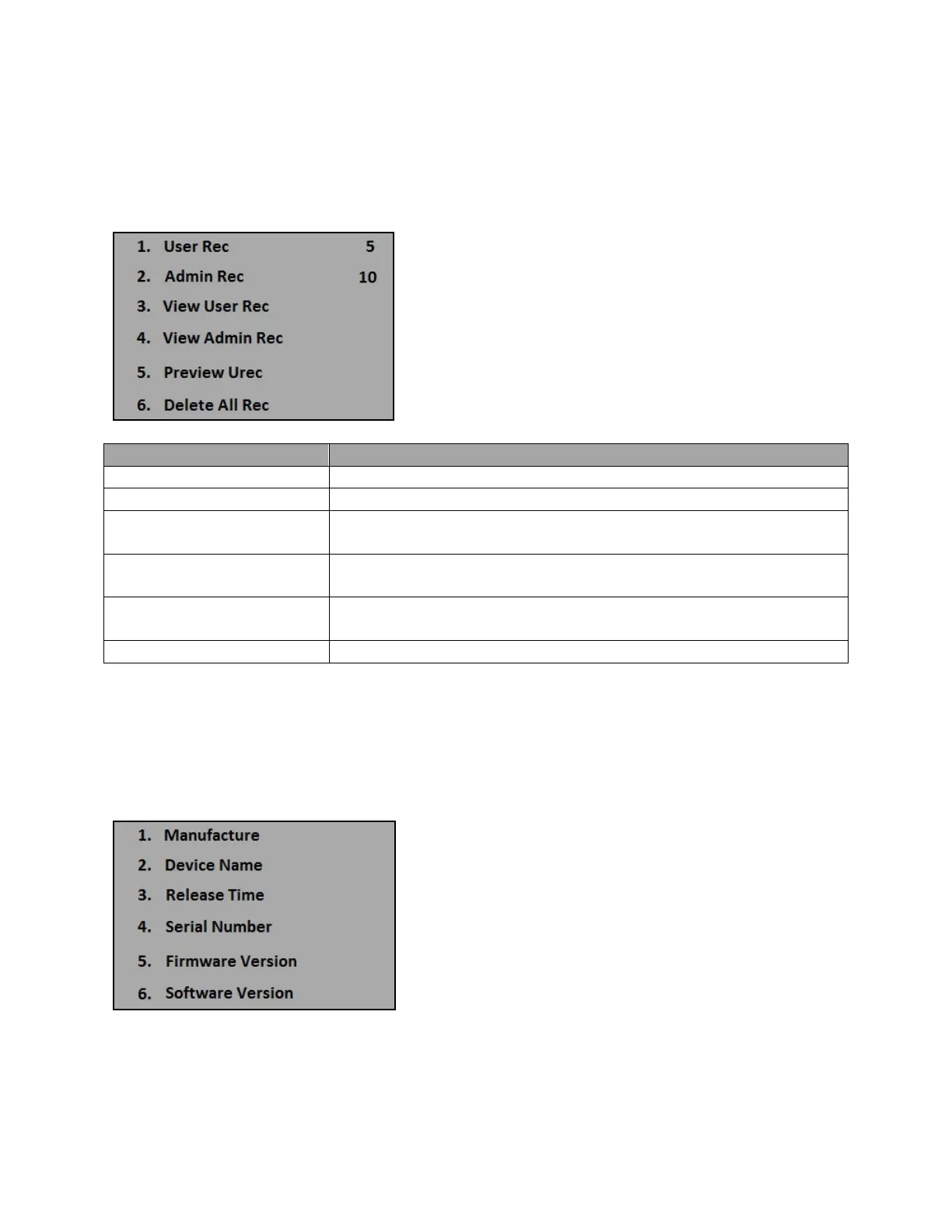
2) Press “Record”, the following appears
View number of user’s log records saved in the terminal.
View number of administrator’s log records saved in the terminal.
3. View User Rec
(in order of transactions)
To view a specific user’s log records, input the user’s ID number and
4. View Admin Rec To view a specific administrator’s log records, input the administrators
ID number and press [OK] to view.
5. Preview User Rec
(in order of date)
To view a specific user’s log records, input the user’s ID number and
press [OK] to view.
View number of user’s log records saved in the terminal.
*David-Link is not responsible for any lost data and record. Please make sure you save all your data and
records in a safe place. Log records cannot be recovered after you delete all log records saved in the
terminal.
5.3 System Detail
1) Press [M] and select “ViewInfo”, Press [OK].
2) Select “Product”, the following appears:
Here, you can find our company information and contact with the [Manufacture] function. Also find you
[Serial Number], [Firmware Version], and [Software Version] here when we ask for the information.
25


 To Next Page