Need help?
Do you have a question about the DAY Useful Everyday 72543 and is the answer not in the manual?
Read instructions before use and save them for later reference.
Details on calendar, time format, alarms, temperature, rain, and wireless sensor specifications.
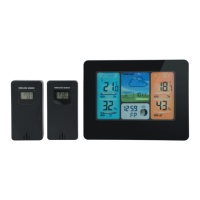
Identifies and labels various parts of the main weather station unit.
Identifies and labels various parts of the wireless remote sensor.
Details the buttons and power compartment on the back of the main unit.
Step-by-step guide for inserting batteries and connecting the main unit to the outdoor sensor.
Guidelines for optimal placement of the wireless sensor for accurate readings.
Instructions for setting the unit's time, date, temperature units, and language.
Guide to setting and managing up to two daily alarms with repeat options.
Displays current indoor/outdoor temperature and shows rising/falling trends.
View rainfall data for NOW, 1 HR, 24 HRS, TODAY, 7 DAYS, MONTH, YEAR, and TOTAL.
Visual representation of rainfall totals with 10 segments indicating amounts.
View rainfall history for the past 12 months.
Set and manage a programmable alert for accumulated rainfall over 24 hours.
Silent alert indicating current rainfall with flashing rain drop icons.
Instructions for regularly cleaning the rain sensor funnel and drain.
Identifies icons indicating low battery for the main unit and wireless sensor.
Link to the EU Declaration of Conformity for the product.
Information regarding the disposal of electrical and electronic equipment (WEEE).
 General
| Brand | DAY Useful Everyday |
|---|---|
| Model | 72543 |
| Category | Weather Station |
| Language | English |

 To Next Page