14
Operation
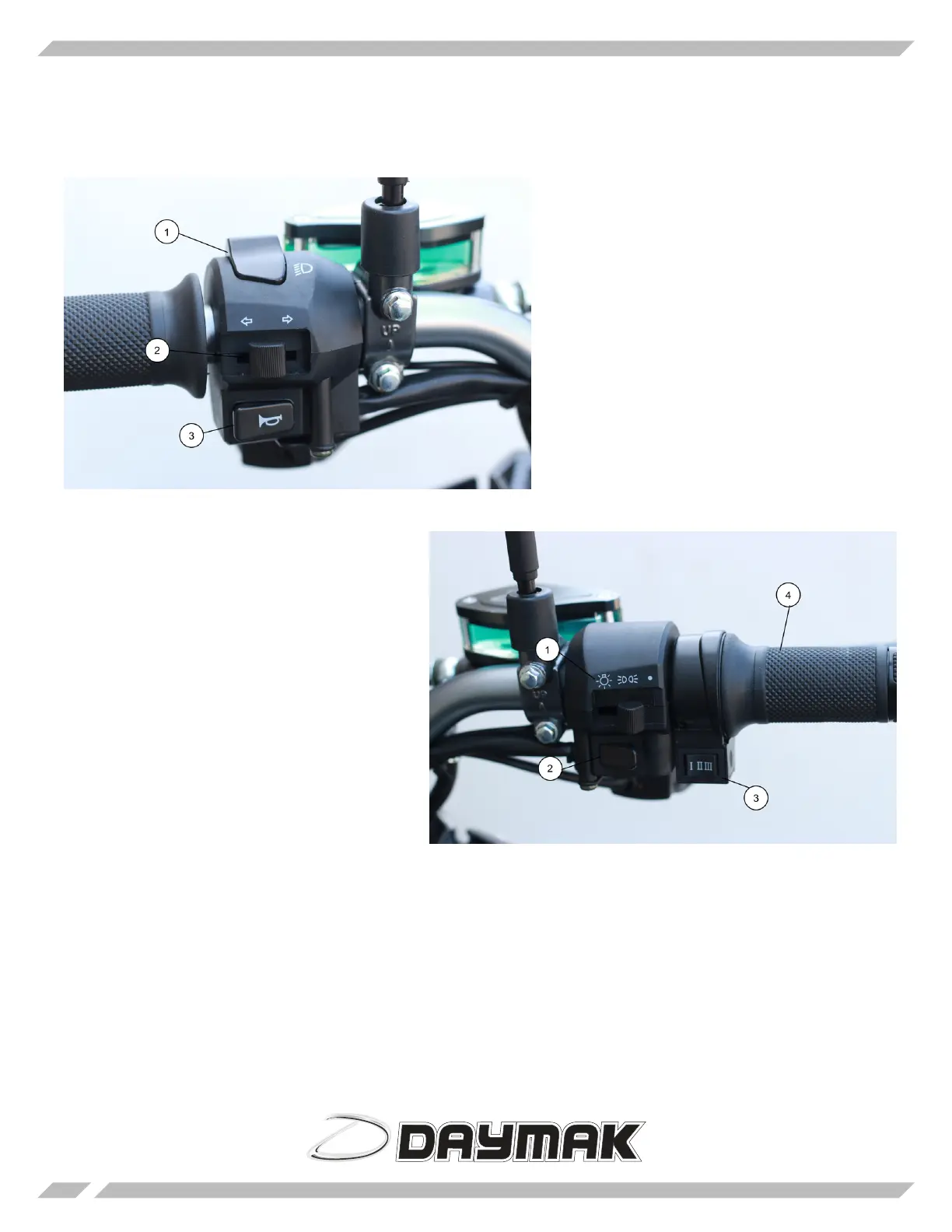
Le Handlebar
1) High Beam / Low Beam - Press this button
to angle your headlights up or down.
2) Turn Signals - Push this to the le or right
as you are turning respective to the direction.
Once you are done turning put this back in the
middle position to turn o the signal.
3) Horn - Press this to honk the horn.
Right Handlebar
1) Lights - ere are 3 positions for the lights.
e furthest right position leaves the lights o.
e middle position will have rear running
lights and le most position has all the lights
on.
2) Horn - Press this to honk the horn.
3) 3 Speed Switch - Set it to position 1 for slow-
est speed but furthest range. Set it to position 3
for fastest speed and shortest range.
4) Turn the throttle to engage the motor. Re-
lease it to slow down.





 To Next Page