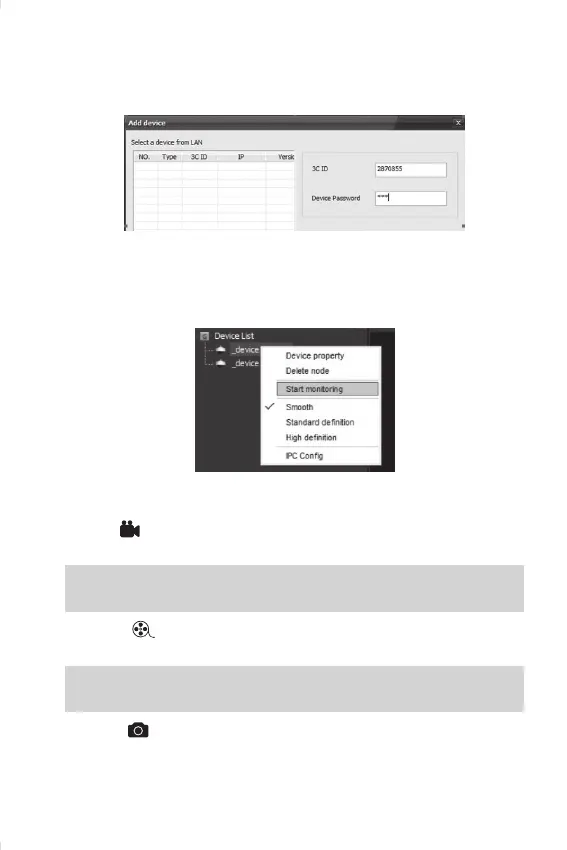
Add New Device
Click the mark “+” on the le side, enter into to add new device, and
input camera ID and Password.
Device Monitoring
Open CMS Client, click device name → start monitoring, as below pho-
to:
Recording Sengs
Record: click the buon to start/stop recording, the video will save
in AV format in computer hard disk.
NOTE:
y
the device can only record video while CMS is working.
Playback:
select “playback date” to nd play back les and play di-
rectly.
NOTE:
y
recorded video le save in computer’s hard disk.
Capture:
, The screen shot will save in computer automacally in
bmp format.


 To Previous Page