
 Need help?
Do you have a question about the DaytonAudio DSP-408 and is the answer not in the manual?
To reduce the risk of electric shock, do not remove cover. Refer servicing to qualified personnel.
High level input impedance, frequency response, output impedance, signal to noise ratio.
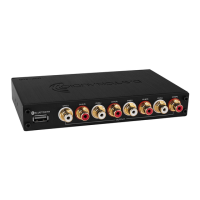
Identification of 12V wiring harness, turn-on selector, DC jack, RCA inputs, remote, PC control, Bluetooth input.
Pinout details for WHITE, GRAY, GREEN, PURPLE, RED, BLUE, YELLOW, BLACK wires and their functions.
Diagram showing connection of DSP-408 to a Windows PC via USB for control.
Diagram showing connection via Bluetooth dongle to Android or iOS device.
Details on connecting RCA and high-level inputs, including turn-on selector modes.
Bluetooth input utilization with DSP-BT4.0 for Android/iOS devices.
Instructions for downloading Dayton Audio DSP Control app for Android/iOS and PC software.
Selecting input routing percentage to outputs using sliders.
Selecting crossover types (Linkwitz Riley, Bessel, Butterworth), frequency, and slope.
Adjusting center frequency, Q, and level for parametric EQ bands.
Setting channel delay using 'ms', 'cm', or 'in' units via slider or +/- buttons.
 General
| Brand | DaytonAudio |
|---|---|
| Model | DSP-408 |
| Category | Computer Hardware |
| Language | English |

 To Next Page