EasyManua.ls Logo

DB Drive EUPHORIA EDSP4-31BT User Manual

DB Drive EUPHORIA EDSP4-31BT
15 pages
To Next Page IconTo Next Page
Page #1 background imageLoading...
Page #1 background image
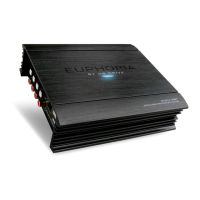
EUPHORIA
EDSP4-31BT
USER MANUAL
31 Band Digital Sound Processor
with Built-In Amplifier
TM
Question and Answer IconNeed help?

Do you have a question about the DB Drive EUPHORIA EDSP4-31BT and is the answer not in the manual?

DB Drive EUPHORIA EDSP4-31BT Specifications

General IconGeneral
BrandDB Drive
ModelEUPHORIA EDSP4-31BT
CategoryRecording Equipment
LanguageEnglish

Summary

Product Features Overview

Product Characteristics

Lists key features like OEM integration, 48-bit DSP, inputs, amplifier, EQ bands.

Input & Output Ports

Details the physical connections and ports on the unit.

System Connections

Unit Configuration

Shows the unit's configuration and wiring diagram.

Unit Connection Guide

Explains how to connect to aftermarket or factory systems.

Input/Output & USB Port

Low Level RCA Input/Output

Explains RCA inputs and outputs, including subwoofer outputs.

USB2.0 Port Usage

Describes the USB port for PC tuning.

Software Operation Basics

Software Installation

Guides on downloading and installing the tuning software.

Software Interface & Operation

Software Interface Overview

Details the main sections of the GUI.

Audio Input Signal Selection

How to select audio input sources and adjust gain.

Output Channel Settings

Delay & Equalizer Adjustments

Signal Equalizer & Crossover

Saving & Deleting Settings

Restore & Delete Presets