
 Need help?
Do you have a question about the dB Technologies DigiPro OPERA D Series and is the answer not in the manual?
The OPERA D series of professional active speakers features cutting-edge digital amplifiers from the DIGIPRO® series, offering power outputs of 200W, 400W, and 600W to suit various applications. These highly efficient amplifiers deliver substantial power while maintaining a limited weight and compact size. Due to their low power dissipation, the amplifier module does not require a fan for cooling.
A digital preamplifier with DSP (Digital Signal Processing) manages the audio crossover of the acoustic components, frequency response, limiting, and phase alignment. A selector switch allows users to choose between two different equalization presets: "FLAT" for a linear response, ideal for live applications, and "PROCESSED" which emphasizes low frequencies and adjusts mid-frequencies, making it suitable for music playback. The DIGIPRO® 400W and 600W amplifiers utilize SMPS (Switched-Mode Power Supplies) technology, enhancing power supply efficiency and reducing overall weight.
A blue indicator light on the front panel signals correct operation. This indicator can be disabled for specific applications, such as theatre or cinema installations, by following a procedure detailed in the manual.
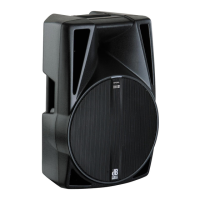
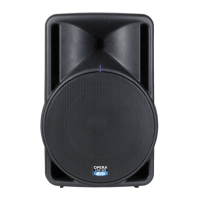
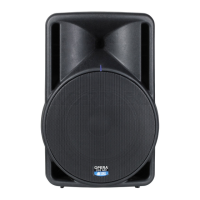
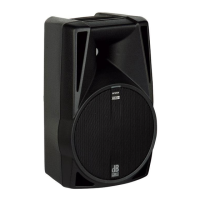
The OPERA 610 D is a 2-way bi-amplified speaker equipped with a 10" woofer (2" voice coil) and a 1" compression driver (1.3" voice coil) loaded with an 80°/65°x60° asymmetric horn. The speaker enclosure is made of plastic material and includes a rubber-coated top handle for easy transport. A standard 36mm pole mount cup is located at the bottom of the enclosure. The speaker is also designed for use as a stage monitor, with a 43° angle.
The amplifier panel includes several controls and connectors:
On the speaker front, there is an INDICATOR LIGHT (blue) that indicates the speaker's status.
The speaker components are protected by a metal steel grille (1.2mm for 8" versions, 1.5mm for 10", 12", and 15" versions) covered with foam on the backside.
Cooling: Thermal control is managed by an internal microprocessor with two sensors that monitor the temperature of the amplifier and power supply. To prevent overheating, the overall volume is proportionally reduced if the temperature exceeds 80 degrees Celsius, making the change imperceptible. Normal volume and functions are automatically restored once standard operating temperatures are reached.
Front LED: The blue LED on the front of the speaker indicates its status. This LED can be disabled for applications like theatre or cinema by pressing and releasing the MODE switch six times during power-on when all amplifier module LEDs ("Limiter," "Signal," and "Ready") are off. To re-enable the front LED, repeat the procedure. Even when disabled, the LED's diagnostic function remains active.
Switch-on Procedure: The amplifiers feature a microprocessor that controls the DSP and amplifier. A proper switch-on is ensured by an initialization procedure: during this test, the blue front LED flashes twice, and the amplifier module LEDs ("Limiter," "Signal," and "Ready") remain off for approximately 2 seconds. After initialization, the front LED lights up (if enabled), and only the "Ready" green LED on the amplifier module remains steadily on. In case of a severe failure, the front panel LED flashes multiple times, and the "Limiter" red LED flashes on the amplifier module, causing the speaker to switch to "mute."
Failure Indications and Safeties: The microprocessor can signal three types of failures by flashing the "Limiter" red LED on the amplifier panel before the "Ready" green LED illuminates:
If the red "LIMITER" LED remains on after performing checks (power supply connection, voltage, amplifier temperature, and power cycle), contact an authorized service centre.
WARNING: Ensure the loudspeaker is securely installed in a stable position to prevent injuries or damage. Do not stack loudspeakers without proper fastening systems. Before hanging, inspect all components for damage or missing parts. For outdoor use, avoid bad weather.
The loudspeaker offers several mounting options:
WARNING: Never use the handles to hang the speaker.
 General
| Max SPL | 131 dB |
|---|---|
| Weight | 19.6 kg |
| Amplifier Class | D |
| Cooling | Convection |
| Controller | DSP controlled |
| Limiter | Yes |
| Input | 2 x XLR/Jack combo |
| Output | 1x XLR male |
| Width | 380 mm |
| Depth | 380 mm |
| Type | Active PA Speaker |
| Input Connectors | 2 x XLR/Jack combo |


 To Next Page