English
Integrated Audio Bluetooth
®
Module
The ES is equipped with built-in Bluetooth
®
stereo streaming, which allows the
connection of any device (such as mobile phones, tablets or audio players) with
Bluetooth
®
connection. We can consider them as more inputs (for a total of ), even
though levels are common to line inputs.
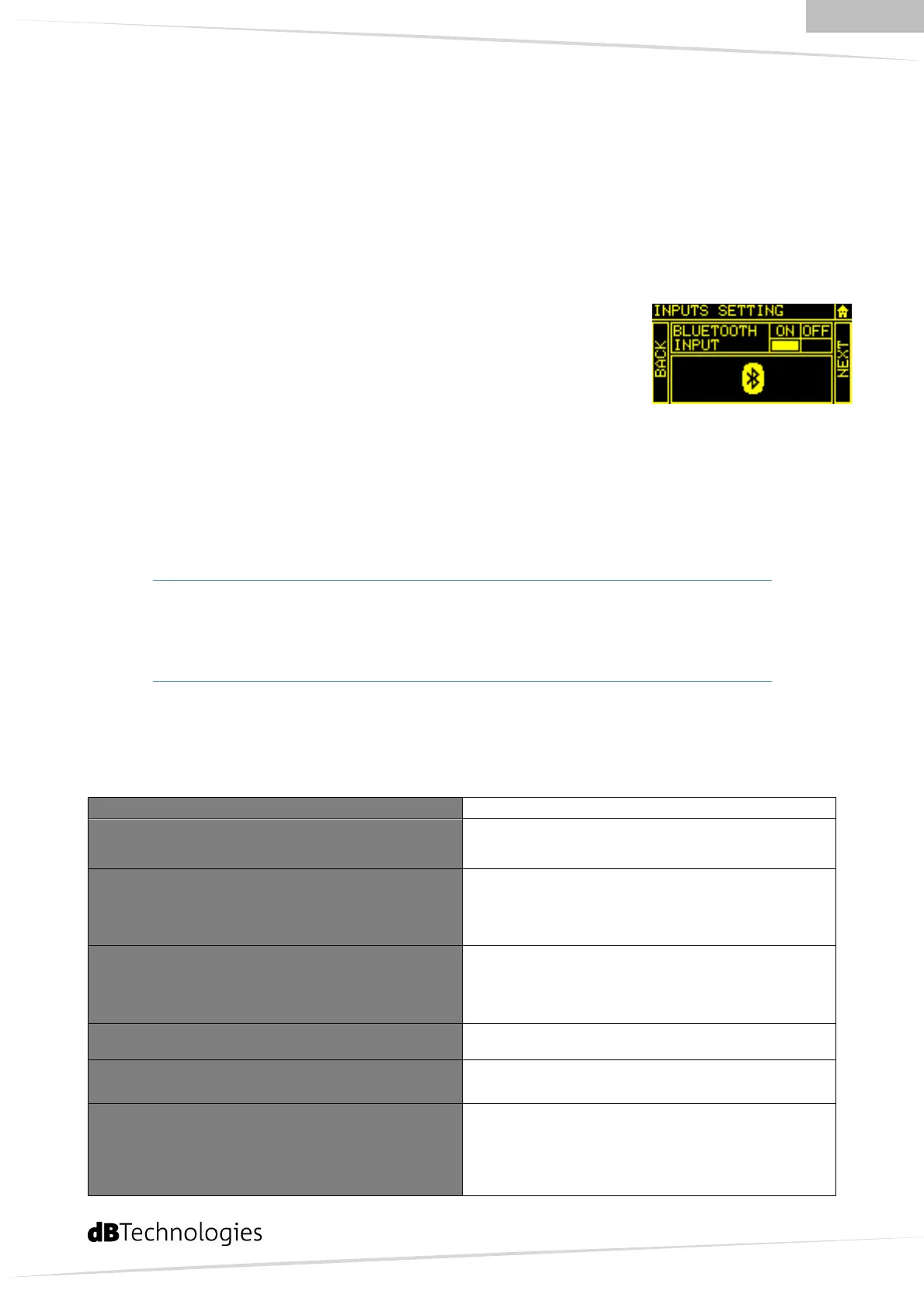
To enable the Bluetooth receiver go to Menu Bluetooth menu
and then switch on/off the Bluetooth connection.
When Bluetooth module will be ready, you can follow these four
easy steps:
) Make sure that the device to be associated is on and ready to connect via
Bluetooth.
) From the device search for the available Bluetooth devices.
) Select “ES ” from the list.
) From the device follow the instructions to associate ES to it
Warning:
If your device requires a password, conventionally use
“
”
or
“
”
DSP Presets
The ES DSP allows to choose between different eq, ( presets + user eq)
Go to Menu DSP presets
Flat
Playback
and high frequencies are emphasized.
Club
in the background. In this case the low frequencies
are extended and enhanced, so as to create a more
warm sound even at low sound level.
Vocal
frequencies, making voices sharper. The feedback
is extremely limited for both cardioid and
hypercardioid microphones
Monitor
drum, etc.
Antifeedback
environment
Custom Equalization
Low shelving filter: gain (+ – dB)
Semiparametric mid filter: gain (+ – dB)
Freq (Hz – Hz).
High shelving filter: gain (+ – dB)


 To Next Page