EasyManua.ls Logo

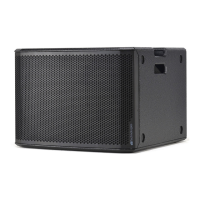
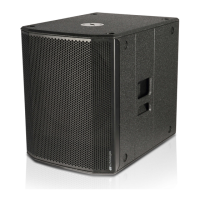
dB Technologies OPERA SUB 15 - User Manual

dB Technologies OPERA SUB 15
12 pages
Print Icon
To Next Page IconTo Next Page
Loading...
420120099
OPERA SUB 15OPERA SUB 15
ACTIVE
SUB-WOOFER
ACTIVE
SUB-WOOFER
MANUALE D’USO
USER MANUAL
BEDIENUNGSANLEITUNG
CARACTERISTIQUES TECHNIQUES
Question and Answer IconNeed help?

Do you have a question about the dB Technologies OPERA SUB 15 and is the answer not in the manual?

Summary

dB Technologies OPERA SUB 15 Active Sub-Woofer Manual

Safety Instructions

General Cautionary Warnings

Risk of electrical shock, do not remove cover. Refer servicing to qualified personnel.

General Warning Against Moisture

Do not expose appliance to rain or moisture to reduce risk of fire or electrical shock.

Environmental Precautions

Avoid water, moisture, heat sources and ensure proper ventilation for the appliance.

Electrical Connection Safety

Use correct power source, ensure grounding, and protect power cords to prevent hazards.

Maintenance and Operational Guidelines

Follow cleaning, storage, and general operating instructions for safe and effective use.

Important Product Notes

Operating Precautions

Connection Safety

Preventing Interference During Connection

Use screened cables for signals and avoid proximity to magnetic fields and power lines.

Product Description

Key Features

Microprocessor Control System

Processor manages indicators and protection circuits for correct system operation.

Amplifier Cooling System

Fan speed regulates automatically with temperature for optimized cooling and reduced noise.

Protection Cutouts

Details thermal cutouts that trip on overheat, indicated by status light and audio signal.

Circuit Protection (CC;DC;RFI)

Power Voltage Monitoring

Diagnostics and Indicator Table

Controls and Functions

Power and Connectivity Ports

Covers power switch, fuse, mains input/output connectors, and link outputs.

Audio Input and Crossover Controls

Details balanced inputs, link outputs, crossover frequency selection, and phase/level controls.

Indicator Lights and Status Indicators

Explains the function of POWER, STATUS, SIGNAL, and LIMITER indicator lights for system status.

Technical Specifications

Product Dimensions

Block Diagram

Cable Connections

Mono Connection Setup

Illustrates how to connect the OPERA SUB 15 in mono configuration with active speakers.

Stereo Connection Setup

Illustrates how to connect the OPERA SUB 15 in stereo configuration with active speakers.

Monolink Cable Connections

Summary

dB Technologies OPERA SUB 15 Active Sub-Woofer Manual

Safety Instructions

General Cautionary Warnings

Risk of electrical shock, do not remove cover. Refer servicing to qualified personnel.

General Warning Against Moisture

Do not expose appliance to rain or moisture to reduce risk of fire or electrical shock.

Environmental Precautions

Avoid water, moisture, heat sources and ensure proper ventilation for the appliance.

Electrical Connection Safety

Use correct power source, ensure grounding, and protect power cords to prevent hazards.

Maintenance and Operational Guidelines

Follow cleaning, storage, and general operating instructions for safe and effective use.

Important Product Notes

Operating Precautions

Connection Safety

Preventing Interference During Connection

Use screened cables for signals and avoid proximity to magnetic fields and power lines.

Product Description

Key Features

Microprocessor Control System

Processor manages indicators and protection circuits for correct system operation.

Amplifier Cooling System

Fan speed regulates automatically with temperature for optimized cooling and reduced noise.

Protection Cutouts

Details thermal cutouts that trip on overheat, indicated by status light and audio signal.

Circuit Protection (CC;DC;RFI)

Power Voltage Monitoring

Diagnostics and Indicator Table

Controls and Functions

Power and Connectivity Ports

Covers power switch, fuse, mains input/output connectors, and link outputs.

Audio Input and Crossover Controls

Details balanced inputs, link outputs, crossover frequency selection, and phase/level controls.

Indicator Lights and Status Indicators

Explains the function of POWER, STATUS, SIGNAL, and LIMITER indicator lights for system status.

Technical Specifications

Product Dimensions

Block Diagram

Cable Connections

Mono Connection Setup

Illustrates how to connect the OPERA SUB 15 in mono configuration with active speakers.

Stereo Connection Setup

Illustrates how to connect the OPERA SUB 15 in stereo configuration with active speakers.

Monolink Cable Connections

dB Technologies OPERA SUB 15 Specifications

General IconGeneral
BranddB Technologies
ModelOPERA SUB 15
CategorySubwoofer
LanguageEnglish

Related product manuals