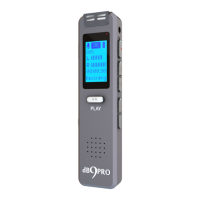
dBR-D1 Voice Recorder
3
keyboard
+ or – keys: for volume or Deleting files
(hold down to access at the home screen)
Menu or M button: for switching between
Record mode or MP3 mode (briefly press
to switch) / for Settings (hold key down) /
acts like the ESC key on a computer
keyboard in any menu mode
>> or << keys: To skip ahead (briefly
press) / Scroll (when playing a file or in
menu)
Protecting Files: Please do not turn OFF power
in Recording Mode or your current recording in
session will not be saved.
Interference: To prevent electronic interference,
please keep this recorder away from other
electronic devices and strong magnetic fields.
Backup: We recommend backing up your files to
a computer regularly to prevent loss of data. Your


 To Next Page
 Loading...