page 8
Ideas for DC users who do NOT want to drive
trains with DCC, but DO want to make wiring
simpler, easier & improve accessory control.
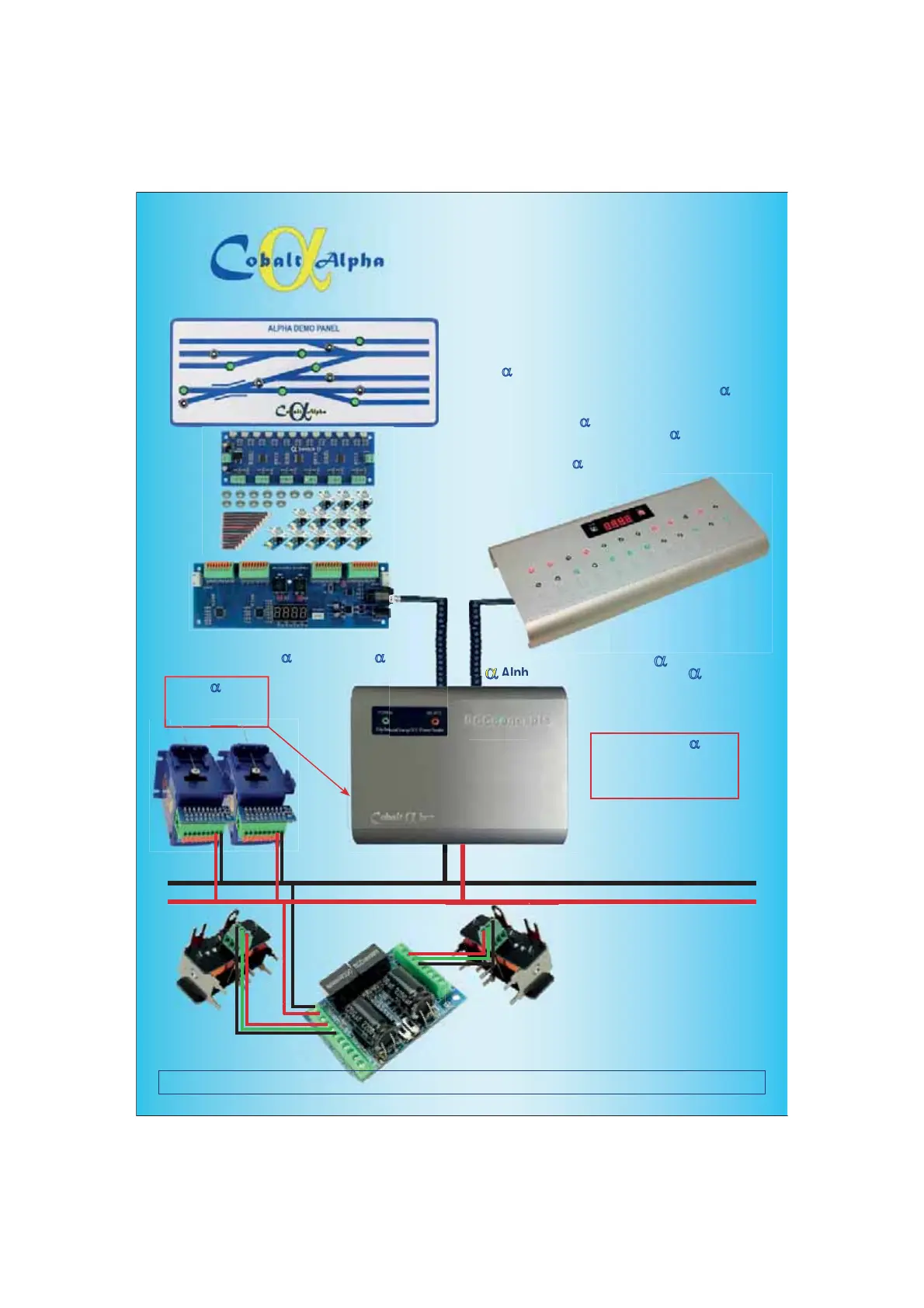
STEP 1 - Choose how to create your control panel.
You can use conventional momentary switches, Stud and Probe
or most other traditional methods - OR you could use the new
Alpha
D Switch-D range to make wiring exceptionally easy.
The next step is to connect the panel switching to Cobalt
DAlpha
Switch connections are a simple “Left-Common-Right” so they are
very easy, and as Alpha
D Switch-D uses screw terminals and
there are simple “push terminals” on Cobalt DAlpha all you need
is a small screwdriver and wire strippers/cutters!
Alternately, use Alpha
D Central and your control panel will be
ready to use the moment you unpack it and
connect it to your layout... with no
added complication at all.
STEP 2 - Connect the Cobalt DAlpha or Cobalt
DAlpha Central unit to the Cobalt DBox
STEP 3 - Create a DCC “Accessory Power Bus”
Need information or help? Visit www.dccconcepts.com/manuals-advice OR email advice@dccconcepts.com
STEP 4 - Connect Digital Accessory decoders
to the “Accessory Power Bus” and enjoy the
EHQHÀWVRI'LJLWDO$FFHVVRU\&RQWUROZLWKRXW
the need to convert your Locomotives to DCC!
TEP
o use
e momen
ou unpac
an
nect it to
our la
out... with n
ed complication at all.
Choose either Cobalt DAlpha OR Cobalt DCentral
Alpha DPower
or 5-Amp Power
Supply 15~18v DC
Just ONE Alpha DBox
Will power ALL of the Digital
Accessories you might use on
the largest of layouts!


 To Next Page
 Loading...