
 Need help?
Do you have a question about the DCS PowerSeries System Keypads and is the answer not in the manual?
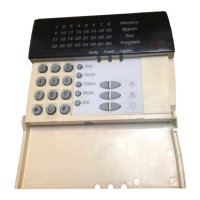
Overview of the PC5532Z keypad, including zone lights and function buttons.
Description of LED keypads like PC5508Z and PC5516Z operation.
Description of LCD keypads like LCD5501Z and LCD5500Z operation.
Section for recording access codes and master code for future reference.
Space to fill in system details like enabled features and delay times.
Table for documenting sensor and protected area details for each zone.
Detailed explanation of symbols and indicators on LCD keypads.
Explanation of status lights and indicators on LED keypads.
Covers general system operation, maintenance tips, and installer access.
Details on fire detection capabilities and monitoring functions.
Guidance on ensuring the system functions as intended.
Instructions for selecting the desired language on the PK5500 keypad.
Procedures for Away, Stay arming, and using the Quick Exit function.
Instructions for disarming the system and reactivating bypassed zones.
How to use emergency keys for Fire, Auxiliary, or Panic alarms.
Procedure for programming the system's time and date.
Steps to bypass zones using an LCD5500Z keypad.
Steps to bypass zones using PC55XXZ or LCD5501Z keypads.
Programming and selecting groups of zones for bypassing.
Explanation of trouble condition codes and their meanings.
Procedure to acknowledge and clear trouble conditions.
Accessing and reviewing past alarm events stored in memory.
How to enable or disable the door chime feature.
Instructions for adding, deleting, or modifying user access codes.
Types of access codes and their specific functions and limitations.
Details on inherent and programmable attributes for access codes.
Configuring audible squawks for arming/disarming with access codes.
Assigning access codes to specific partitions or areas.
Procedure for programming the system's time and date via keypad.
Setting up automated arming schedules for partitions.
Performing system tests for keypads, sounders, and communication.
Adjusting display settings for keypad brightness and contrast.
Modifying the volume or level of keypad buzzer alerts.
Programming custom labels for zones, partitions, and outputs.
Accessing and reviewing the last 500 system events.
Understanding the global status display for system partitions.
Procedure for resetting specific sensors after an alarm condition.
Verifying the operation of keypad sounders and system sirens.
Comprehensive weekly testing of system detectors and functions.
Initiating and performing a walk test for system detectors.
Enabling installer access for remote system downloading.
 General
| Category | Keypad |
|---|---|
| Model | PowerSeries |
| Manufacturer | DSC |
| Compatibility | PowerSeries |
| Display Type | LCD display |
| Zone Inputs | Varies by model |
| Programmable Function Keys | Varies by model |
| Tamper Protection | Yes |
| Backlight | Yes |
| Power Supply | 12VDC from control panel |
| Operating Temperature | 32°F to 120°F (0°C to 49°C) |
| Dimensions | Varies by model |
| Mounting | Surface mount |

 To Next Page