7
MANAGE FILES VIA SMART PHONE
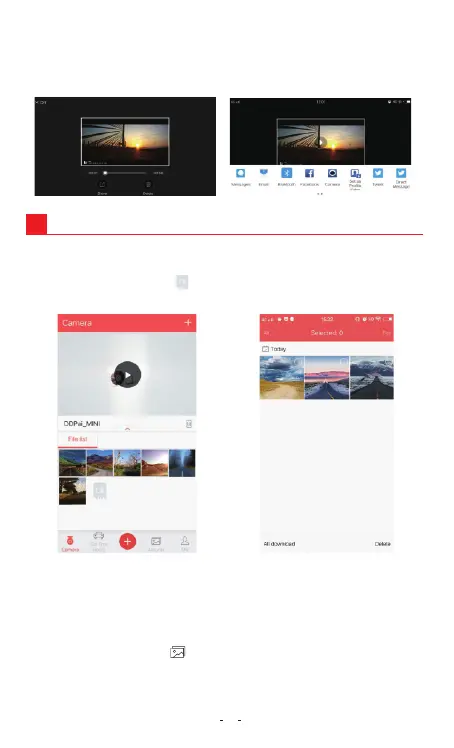
7.1 Download Emergency Files
1. Connect your Dash Cam to App.
2. Tap on Camera, tap on , then you can select the emergency
image or video files.
7.2 Editing and Sharing image/video files
The photo filters integrated into the DDPAI Dash Cam App is
configured with 15 photo filters which can be applied to your
photos.
1. Tap on the album icon located at the bottom middle of the
screen.
2. Select or tap on the photos you wish to edit.
10
After downloading, you can share it on social media.
NOTE
You can download maximum of 5 minutes length clip.
3


 To Next Page