EasyManua.ls Logo

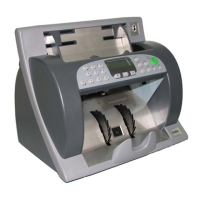
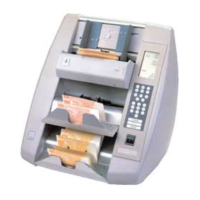
De La Rue talaris EV8650 - User Manual

De La Rue talaris EV8650
2 pages
Print Icon
To Next Page IconTo Next Page
Loading...
TP10413002 Rev.03 Copyright © 2009 by Talaris Ltd., Basingstoke (UK) Page 1 of 2
Model: EV8650 Quick User Guide
Display / Control Panel
Note: Functions in red below, are not available on Standard version.
1 Batch Display Displays note batch quantity. 100 for count mode. If
set to oFF, no zeros are shown.
2 Bar Visible in Count & Batch mode, invisible in
Value Mode.
Not shown if Batch is set to oFF.
3 Count Display Displays count and value count figures.
4 Size Visible if Long / Short Edge Detection aid is on or
when SMDS is being used to denominate notes
5 CnS Visible if machine is on-line to a PC (2620 Protocol
only). Keypad Locked or Busy on other versions.
6 Auto Start Visible if auto note start is on.
7 Infra Red Visible if the Infra Red Detection aid is on.
8 Magnetic/MTD Visible if the Magnetic Detection aid / Metallic Thread
Detection is on.
9 UV/PPD Visible if the Ultra Violet/Paper Property Detector is
on.
Speed Adjustment
A range of pre-set speeds can be used for counting differing qualities of note paper.
Select the throughput speed by pressing the SPEED key.
Press the SPEED key and the current speed number will be displayed.
Press the SPEED key repeatedly to step through the available preset speeds:
e.g. SPEEd 1, SPEEd 2, SPEEd 3, SPEEd 4, SPEEd 5. Where SPEEd1 is the slowest
and SPEEd 5 Is the fastest.
Alternatively whist the speed number is shown on the display, use the left or right arrow
keys to select required speed.
Press the START key to return to the count display or wait for the display to time out.
Feed Gap Adjustment
The adjuster wheel is
graduated with lines.
1 2 3 4
Feed gap adjustment is required for the following reasons.
The counting of new or mint condition notes.
The counting of thin or poor condition notes.
The counting of average condition notes.
The higher the setting (i.e. 4) the larger the gap.
The lower the setting (i.e. 1) the smaller the gap.
To set to an average note condition feedgap:
First turn the rubber rollers until the ridged portion is uppermost. Now move the feedgap
adjuster wheel downwards one click at a time until some resistance is felt when the
ridged portion of the rubber roller is moved gently backwards and forwards by hand.
Now move the feedgap adjuster wheel upwards 3 clicks.
Old notes may require a larger feed gap. New notes may require a smaller feed gap.
3
1
2
456789
Mode Selection 8650 STD
Press the MODE key to display the current counting Mode.
Whilst the current counting mode is shown, press MODE again to toggle between the
two available Modes.
Press START/STOP to return to the counting display or wait for the display to time out.
Modes that may be used include:
For COUNT MODEPIECE Cnt
For counting pieces of paper without attributing any value
VALUE MODE dEntVAL:
For counting pieces of paper and displaying the result as value, based on a
denominational value entered by the user.
For further information on other modes which are available, refer to the User Guide.
Batch Settings
The EV8650 is in batch/count mode if the display shows PIECE Cnt when the MODE
key is pressed.
Select the batch size to be counted by pressing the BATCH key.
Use this key to step through the quantities that have been pre-set: e.g. 100, 50, 25, 20,
10, 5 (and OFF which is the continuous count mode).
Alternatively whilst the batch quantity is on the display, use the left or right arrow keys to
enter a batch quantity that is not included in the preset list.
The arrow keys will increment (Right Arrow) or decrement (Left Arrow) the batch
number shown on the display.
Press START/STOP key to return to the count display or wait for the display to time out.
Place the notes to be counted onto the feed hopper.
The machine will automatically start, with AUTO selected. If auto is not selected, you
can start it manually by pressing the START/STOP key.
The machine will stop when the batch size has been reached.
Detector Box / Note Path Access Release
Buttons
Press in both these buttons together to release the detector box to gain access to the
note path.
To clean the sensors.
Remove excess dust.
To clean counterfeit detection aids
To clean rollers.
Removal of jammed notes.
Note Guides: The Note guides are used to keep the notes aligned when being fed into
the machine. They should be adjusted for different notes sizes. Use of the guides will
improve machine performance.
MODE
Question and Answer IconNeed help?

Do you have a question about the De La Rue talaris EV8650 and is the answer not in the manual?

Summary

Control Panel and Modes

Display Panel Indicators

Details the functions of indicators and controls on the EV8650 display panel.

Mode Selection

Explains how to select operational modes such as Count Mode and Value Mode.

Operational Settings

Speed Adjustment

Describes how to select and adjust the note counting speed for different paper qualities.

Batch Settings

Explains how to set the batch quantity for counting notes or continuous counting.

Maintenance and Access

Feed Gap Adjustment

Guides on adjusting the feed gap for different note conditions to ensure proper feeding.

Detector Box Access

Details how to access the detector box for cleaning sensors and clearing jams.

Display Messages

CLEAR Message

Indicates sensors are obscured; requires removing notes or cleaning sensors.

FEEd Message

Indicates a note jam; requires clearing notes and adjusting thickness setting.

HALF Message

Detects a half note; requires removing suspect notes and repeating the count.

JA Message

Notes are jammed in transport; requires opening machine and removing notes.

dEn Message

A note of a different size detected; requires examining and replacing the note.

CF Message

A counterfeit suspect note detected; requires examining and replacing the note.

rFEEd Message

Note handling problem; requires removing all notes and repeating the count.

tAbLE Message

Invalid denominational sized note detected; requires removing the note and repeating count.

LAST Message

A note from previous bundle left in transport; requires removing notes and recommencing count.

GuLP Message

Multiple notes passed together; requires removing notes and repeating count.

OVEr Message

Dispensed value higher than requested; requires replacing notes with lower value.

FAULT Message

A fault detected in the machine; requires contacting service engineer.

CLEAN Message

Obstruction by dust; requires cleaning the machine internally.

CLEAn add Message

Dirt on double detect bearings/rollers; requires specific cleaning procedure.

CLEAn dEt Message

Dirt on one of the detectors; requires specific cleaning procedure.

Lid Message

Machine lid opened; requires ensuring lid is closed and latches are secure.

nEAr Message

Dispense amount incomplete; requires checking denomination and remaining value.

n_rdY det Message

Selected detector failed to start; requires checking and cleaning the transport.

Overview

The EV8650 is a sophisticated currency counting and processing machine designed for efficiency and accuracy in handling banknotes. It features a comprehensive display and control panel, offering various modes of operation, speed adjustments, and maintenance features to ensure optimal performance.

Function Description

The device primarily functions as a banknote counter, capable of operating in different modes to suit various user needs.

  • Counting Modes:
    • COUNT MODE (PIECE Cnt): This is the basic counting mode where the machine counts pieces of paper without attributing any monetary value. It's useful for simply tallying the number of items.
    • VALUE MODE (dEntVAL): In this mode, the machine counts pieces of paper and displays the total as a monetary value. The user must input a denominational value, and the machine will calculate the total value based on the count and the entered denomination. This mode is particularly useful for quickly processing batches of notes of the same denomination.
  • Batch Settings: The EV8650 supports batch counting, allowing users to set a predefined number of notes to be counted in each batch. Pre-set batch sizes include 100, 50, 25, 20, 10, and 5. There's also an "OFF" setting for continuous counting. Users can also input custom batch quantities using the arrow keys if their desired number is not among the presets. The machine automatically stops once the set batch size is reached.
  • Speed Adjustment: The device offers a range of pre-set speeds (SPEED 1 to SPEED 5) to accommodate different qualities of banknotes. SPEED 1 is the slowest, suitable for very delicate or worn notes, while SPEED 5 is the fastest, ideal for new or mint-condition notes. Users can cycle through these speeds using the SPEED key or select a specific speed using the arrow keys.
  • Detection Aids: The EV8650 incorporates several detection aids to ensure the authenticity and integrity of the notes being counted. These include:
    • Long/Short Edge Detection: Helps identify notes that are torn or improperly cut.
    • SMDS (Suspect Note Detection System): Used for denominating notes and identifying potential counterfeits.
    • Infra Red Detection: A common method for counterfeit detection, often used to verify security features.
    • Magnetic/MTD (Metallic Thread Detection): Detects magnetic ink and metallic security threads embedded in banknotes.
    • UV/PPD (Ultra Violet/Paper Property Detector): Utilizes UV light to detect security features and assess paper properties, helping identify counterfeits.

Usage Features

The EV8650 is designed for user-friendly operation with clear visual feedback and intuitive controls.

  • Display and Control Panel: The front panel features an alphanumeric display (88888 888) for showing batch quantity, count figures, and various status indicators.
    • Batch Display: Shows the current batch quantity, defaulting to 100 in count mode. If set to OFF, no zeros are displayed.
    • Bar: A visual indicator visible in Count & Batch mode, but not in Value Mode or when Batch is OFF.
    • Count Display: Shows the current count and value count figures.
    • Size: Indicates if Long/Short Edge Detection is active or if SMDS is being used for denomination.
    • CnS (Connect Status): Visible when the machine is connected to a PC (2620 Protocol only) or when the keypad is locked/busy.
    • Auto Start: Indicates if the auto note start function is active.
    • Infra Red, Magnetic/MTD, UV/PPD: Icons illuminate when their respective detection aids are active.
  • Mode Selection: Users can easily switch between counting modes by pressing the MODE key. The current mode is displayed, and pressing MODE again toggles between available options. The START/STOP key returns to the counting display.
  • Auto Start Functionality: When AUTO is selected, the machine automatically begins counting once notes are placed in the feed hopper. If AUTO is not selected, counting can be initiated manually by pressing the START/STOP key.
  • Error Messages: The machine provides clear error messages on the display to guide users in troubleshooting. Examples include:
    • CLEAR: Sensors are obscured by notes or dirt.
    • FEEd: Note jammed, stuck, or too thick.
    • HALF: A half note detected.
    • JA: Notes jammed in the transport.
    • dEn: A note of a different size detected.
    • CF: Counterfeit suspect note detected.
    • rFEEd: Note handling problem.
    • tAbLE: Invalid denominational sized note.
    • LAST: Note from previous bundle left in transport.
    • GuLP: Three or more notes passed together.
    • OVEr: Higher value dispensed than requested (in value mode).
    • FAULT: A fault detected in the machine.
    • CLEAN: Dust obstructing sensors.
    • CLEAn add/dEt: Dirt on double detect bearings/rollers or detectors.
    • Lid: Top of machine opened.
    • nEAr: Dispense amount cannot be completed (in dispense mode).
    • n_rdY det: Selected detector failed to start.
  • Note Guides: These adjustable guides help keep notes aligned as they are fed into the machine, improving performance and reducing jams. They should be adjusted according to the size of the notes being processed.

Maintenance Features

Regular maintenance is crucial for the EV8650's longevity and accurate performance. The machine is designed with features that facilitate easy cleaning and access to internal components.

  • Detector Box / Note Path Access: Two release buttons, when pressed simultaneously, allow the detector box to be opened, providing access to the note path. This access is essential for:
    • Cleaning sensors.
    • Removing excess dust.
    • Cleaning counterfeit detection aids.
    • Cleaning rollers.
    • Removing jammed notes.
  • Feed Gap Adjustment: An adjuster wheel with graduated lines controls the feed gap, which is the space through which notes pass. This adjustment is critical for handling different note conditions:
    • New or Mint Condition Notes: May require a smaller feed gap (lower setting, e.g., 1).
    • Thin or Poor Condition Notes: May require a larger feed gap (higher setting, e.g., 4).
    • Average Condition Notes: A specific procedure is outlined for setting the feed gap for average notes: turn rubber rollers until the ridged portion is uppermost, then move the adjuster wheel downwards one click until resistance is felt when moving the ridged portion, and finally move it upwards three clicks.
    • Proper feed gap adjustment helps prevent misfeeds and improves counting accuracy.
  • Cleaning Procedures: The device's error messages often prompt specific cleaning actions. For instance, "CLEAN" indicates that the machine needs internal cleaning, while "CLEAn add" or "CLEAn dEt" suggests cleaning specific components like double detect bearings, rollers, or detectors. The user manual provides detailed instructions for these cleaning procedures.
  • Troubleshooting Guidance: The display messages serve as a first line of troubleshooting, guiding users to resolve common issues such as jammed notes, dirty sensors, or incorrect settings, often without requiring professional intervention.

De La Rue talaris EV8650 Specifications

General IconGeneral
Hopper Capacity500 notes
Stacker Capacity200 notes
Power Supply100-240V AC, 50/60Hz
ConnectivityRS232, USB
Counting SpeedUp to 1, 500 notes per minute
DisplayLCD
Counterfeit DetectionUV, MG, IR, CIS

Related product manuals